• Skip to primary navigation
  • Skip to main content
  • Skip to primary sidebar

Jackie Van Nice

E-Learning Goodness by Jackie Van Nice

  • Home
  • About
  • Blog
  • Portfolio
    • Articulate’s ELH Challenges
    • Sales Mobility Software
    • Product Sales
    • Sexual Harassment
    • Code of Conduct
  • Freebies
    • Free Storyline Templates
    • Free PowerPoint Templates
    • Free Images
    • Freelancing Tips
    • Free Resources to Help Get Started in eLearning
  • Work With Me
  • Contact

Characters

Create Your Own Pictogram Characters (With Free Character & Slider Files!)

October 6, 2014 By Jackie Van Nice 16 Comments

Select Image to Launch Demo

Select Image to Launch Demo

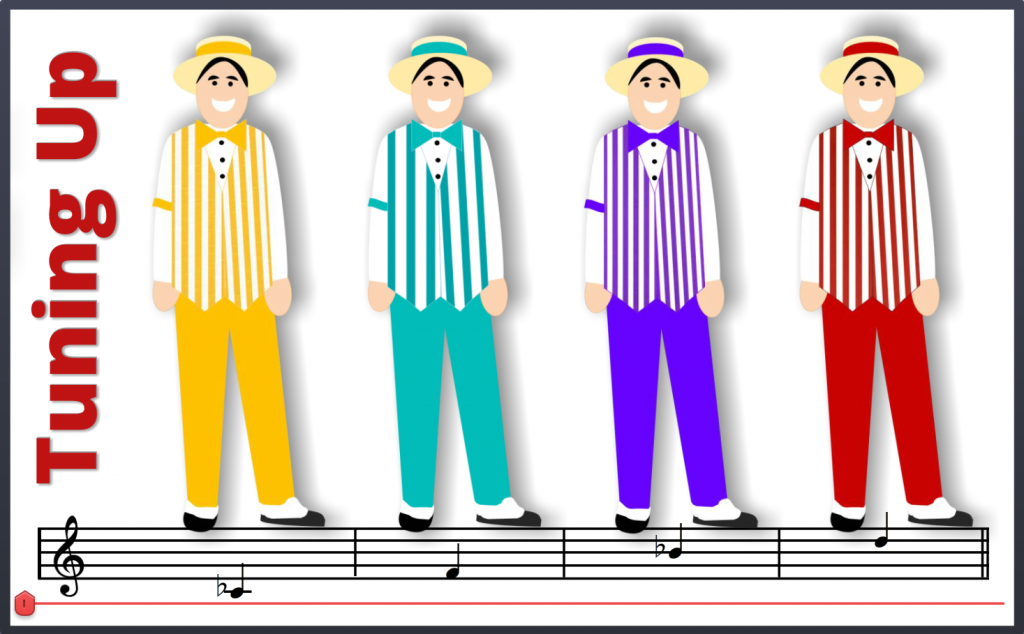
This challenge is to create your own characters in pictogram style. You simply take basic shapes (I used PowerPoint) and mold them until you have the custom characters you need.

 The Idea

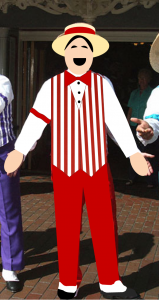
Inexplicably, the only characters I was motivated to pictogram were the Dapper Dans – a barbershop quartet at Disney. David Anderson was clear that these characters should be “aligned with an industry”, so apparently I opted for the entertainment industry’s thriving barbershop sector; strolling division.

The Approach

After finding an image of a Dapper Dan I brought it into PowerPoint and started slapping basic shapes on it to mimic the outlines. Then I added some color, smaller details, and used images of striped fabric as the fill for their vests.

Dan Before
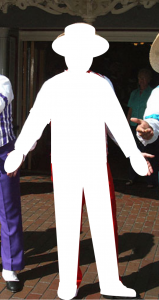
Dan Before

Dan During

Dan During

Dan After

Dan After

Mike Taylor's Helpful Video

Mike Taylor’s Helpful Video

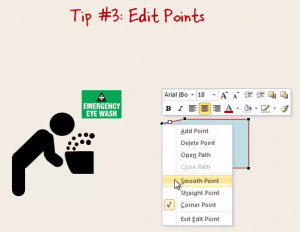
Mike Taylor’s blog post explaining how he created his own pictograms – and especially this video he did to demonstrate – helped me a lot. Specifically, I’ve never been satisfied with the amount of control I’ve had over editing points on shapes in PowerPoint, but starting at 7:20 in the video he reveals finer points I never knew about, and that was a big help. Thanks, Mike!
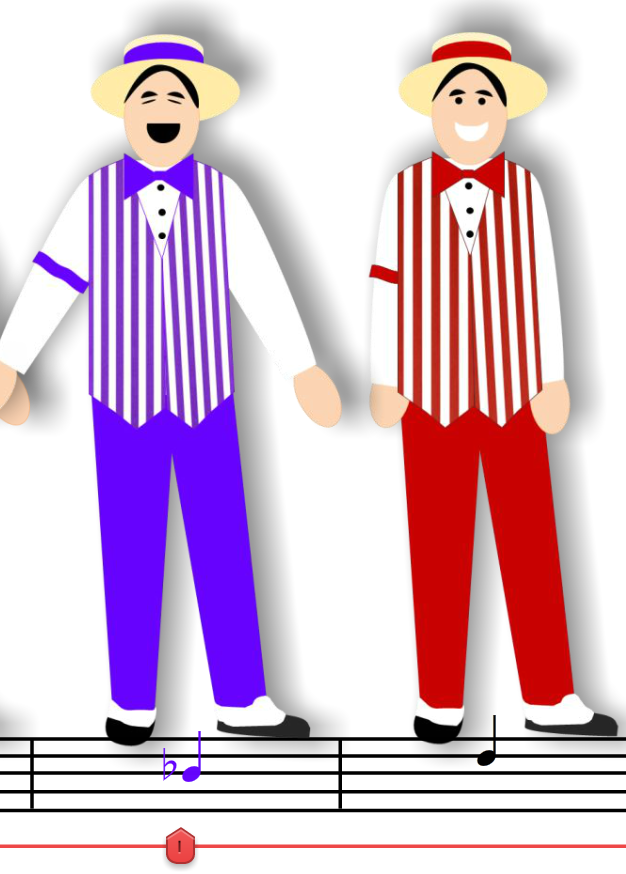
State Change: The Dan's Stance & Note Color Change When Selected

State Change: The Dan’s Stance & Note Color Change When Selected

The Slider

I guess I didn’t get enough of a slider fix in last week’s challenge, and this one was just asking for it. The idea of having each stop be a different vocal that harmonizes with the others seemed like a good idea, so I roped Dan Sweigert into recording some quick audio and was off to the races.

I set it up so that when a Dan is selected (1) his audio plays, (2) he changes to a singing stance, and (3) the note on the musical notation below him changes to match his outfit. Those image changes are set up as states, and they’re triggered to revert to their normal states once the audio stops playing.

Have a Look & Listen

Here’s the finished product. Have your audio ready and enjoy the performance!

Download the Free Image and Slider Files!

In case these might help you in your own work, you can download the PowerPoint source file with the customizable pictogram characters and download the Storyline singing slider file, too. Have fun!


Filed Under: E-Learning Tagged With: Articulate Storyline, Audio, Characters, Community, E-Learning Design, ELHChallenge, Free Download, PowerPoint, Show Your Work, Visual Design

The Benefits of Sharing Your Work: A Reader Checks In

August 30, 2014 By Jackie Van Nice 5 Comments

I’m so lucky I get to do work I love and share it here, and I’m delighted when readers tell me it helps or inspires them. Unfortunately I never know exactly how it’s been helpful, and sometimes that curiosity drives me a little bit crazy. If I knew that, after all, I could do more of it!

Zifang Su

Zifang Su

Enter Zifang

Zifang Su is an instructional designer in Adelaide, Australia who recently sent me this message:

Hi Jackie – Just want to say thank you for your awesome site! Your blog posts about your design process really help me in looking at another instructional designer’s perspective and design thoughts and process, and as a result I’ve changed some of the ways I’ve done things as well. Thank you! Cheers, Zifang

Aha! I perked up, wondering if Zifang could give me some specifics about how she’s changed what she does. So I asked! She was very kind and sent me four specific examples (beautifully organized, of course) of how she’s changed the way she approaches instructional design. Here they are:

Code of Conduct Training

Code of Conduct Training

1. Using Stories and Scenarios

One of the things that struck me when looking at your portfolios and some others, plus the course I’m taking at the moment and some books I’m reading, is that using stories and scenarios can be really effective. Looking at the examples helps me to see how topics can be presented in a fun and engaging way.

2. Design of Courses

I love seeing the examples on your portfolio because they all look very different! Frankly, it’s incredible to me that someone can design all these different looking courses. Currently, my courses look very similar – but that has something to do with the restrictions placed on me at work (i.e. the online course must look similar to the powerpoint slides…). So I’m using the designs as inspirations for work-in-progress – essentially reducing many many dot points and chunks of texts and using graphics instead.

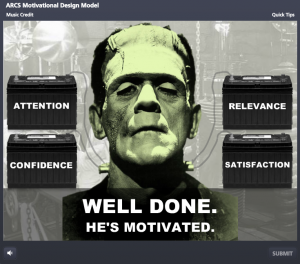
Can You Motivate This Monster?

Can You Motivate This Monster?

What do I think of Storyline?

What do I think of Storyline?

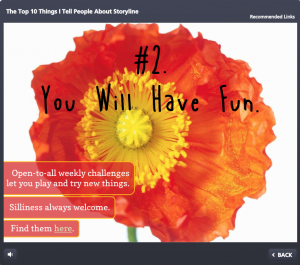
A Radiantly Delicious Template

A Radiantly Delicious Template

3. Use of Colours

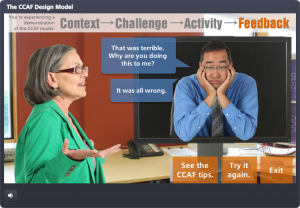
Your portfolio uses great colour schemes. I tend to be ‘traditional’ in the use of colours, e.g. black, blue, grey etc. but contrast works great (e.g. the CCAF design) so I’m reading about the use of colours, as well as experimenting on using brighter colours for my courses.

A Model Smart Enough to Teach Itself

A Model Smart Enough to Teach Itself

4. Sketching for Design Stage

I’ve tried using storyboard templates but found them stifling and it seems like I’m spending more time typing than actually designing. I then came across one of your examples, where you showed some sketches that you did for design and I thought yep, that’s a more flexible way to do it. So now I spend my design time sketching and showing it to my team rather than trying to fit things into a storyboard template.

Show Your Work: E-Learning Messiness By Me

Show Your Work: E-Learning Messiness By Me

Show Your Work: E-Learning Messiness By Me

Show Your Work: E-Learning Messiness By Me

What I Learned

I can’t tell you how grateful I was to get this feedback! It told me what sorts of things have been most helpful and exactly how it helped change another ID’s work. It may not sound like much, but this was huge for me and will help me going forward.

I’ve also learned that even the things I think might be too silly or messy to share can have value in helping someone grow, learn, and be successful. It encourages me to ignore the editorial voice in my head that’s always saying “you’re not going to post THAT, are you??” and motivates me to keep sharing all of the the potentially silly, messy results of my own learning process right here.

Thank you, Zifang!

You can be sure I’ll keep track of Zifang from now on, and if you’d ever like to share what’s been helpful to you here or if you’d like me to talk about a particular topic, just let me know! Zifang dropped me a line using this Contact form.

Filed Under: E-Learning Tagged With: Characters, Community, E-Learning Design, Instructional Design, Professional Development, Show Your Work, Visual Design

Ker-thwack! Fighting Harassment Comic Book Style

August 26, 2014 By Jackie Van Nice 5 Comments

Select Image to Launch Demo

Select Image to Launch Demo

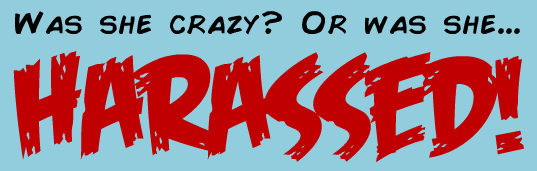
I’m so excited! Today I completed the entire first year of Articulate’s E-Learning Heroes challenges – all 48 of them! I started participating about 5 months into the challenge year so there were a lot to make up, but I did it. Before collapsing I’ll share one of my favorites I uncovered back at #11: Comic Style Themes for E-Learning.

Figuring Out the Style

I don’t know much about comic books and didn’t have a clue how to handle this challenge, but figured it out the same way I did the interactive resume one. I searched for comic books on Pinterest, pinned a couple of things, then took in the rest. That made it easy to assess the approach and style and I got the gist very quickly.

How About Harassment?

I thought about courses I’ve done that I could adapt, and harassment seemed like just the ticket. I already had the material and characters in place; I just needed to change the style and ramp up the drama.

Colors & Fonts

The color palette came from the outfits of the characters on the cover. Add in the classic yellow box for narration, and you’re all set. The fonts were free from Dafont: That great title font is Feast of Flesh BB and the paragraph font is Comic Book.

fonts

Comic Book Fonts

Before & After

Here are a couple of screens from this harassment course I did a few years back. You can see how I adapted them to the comic book demo. You can also see that the comic book style gave me an acceptable way to make it more personal and cut to the chase more quickly and with greater emotional impact.

"Before" Screen

“Before” Screen

"Before" Screen

“Before” Screen

"After" Screen

“After” Screen

Next Time

Given more time I’d have loved to add in music, sound effects, and background images; but as a quick learning exercise I’m pretty happy with it. Fortunately David Anderson promises he’ll have another comic book challenge coming up in the new challenge year. (Ka-zam!!!)

Here it Is!

If you’d like to check out this quick comic-book style demo, it’s right here.

Filed Under: E-Learning Tagged With: Articulate Storyline, Characters, Community, Context, E-Learning Design, ELHChallenge, Emotional Engagement, Show Your Work, Visual Design

A Radiantly Delicious Template

August 17, 2014 By Jackie Van Nice 4 Comments

Select Image to Launch Demo

Select Image to Launch Demo

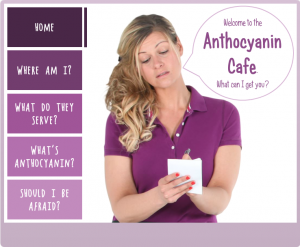
This Articulate challenge is about using Pantone’s color of the year, Radiant Orchid, to create a simple e-learning template. I didn’t have a clue about how to approach this, but that’s normal, so I jumped in anyway.

Design Inspiration

I wanted to brainstorm something in this color that would have meaning to me. Whether it’s the vegan thing or that it’s summertime and I get to eat lots of them right now, I quickly came up with purple fruits and vegetables.

I planned to find a character dressed in a similar color, if possible, and got lucky to find one dressed as a waitress. I reasoned she’d probably work at a cafe that only serves purple produce, and the rest is history.

Color, Tints, and Shades

I stayed pretty true to the palette. The only thing I did that was slightly different was to make the player color relatively transparent, and the hover states on the menu items are also slightly transparent.

I tried to order the fruits and vegetables to mirror the shade differences on the menu items. They’re both darkest at the top of the screen and lightest at the bottom.

See it in Action!

Feel free to take a look at the radiance right here, and don’t let the waitress get you down. She hasn’t eaten her vegetables today.

Select Image to Launch Demo

Select Image to Launch Demo

Filed Under: E-Learning Tagged With: Articulate Storyline, Characters, Community, Context, E-Learning Design, ELHChallenge, Emotional Engagement, Pantone, Show Your Work, Templates, Visual Design

Shooting Your Own E-Learning Background Images

August 16, 2014 By Jackie Van Nice 8 Comments

Select Image to Launch Demo

Select Image to Launch Demo

This Articulate challenge is to create your own background images. The idea is to plan your shots, shoot photos, then manipulate them to work in your project.

The Project

I wanted to share a software training piece I’d created at the eLearning Guild’s SolutionFest, but had to change both the branding and the industry before I could. That involved a lot of new development, including new background images and some video. Time for a photo shoot!

My Shot List

I scouted out a nearby business park and showed up with my shot list in hand. I’ll only share a couple of them in this post, but the shots I wanted and got were:

  1. From the parking lot looking back at the office building with my vehicle in plain view in the center.
  2. From the office building looking out to the parking lot with a field in the background.
  3. Looking down the alley of office park building back doors, plus some closer shots of the doors.
  4. A stop sign at the end of the alleyway.
  5. A video focused on the stop sign, then quickly panning down the alley and back.

Image Manipulation

For the still images I cropped and manipulated them to match the style of the rest of the course, which I’d designed to de-emphasize the background to make it easier to focus on the content. Since I developed this in Articulate Studio ’09 it was quick and easy to use the PowerPoint image formatting options. I used a tan color and the “pastels smooth” artistic effect.

Shot #1: From Parking Lot to Building

For this shot I cropped the image so that the vehicle was easily visible between the characters so I could add the company logo to the door.

Shot #1: Original

Shot #1: Original

Shot #1: Used in the Course

Shot #1: Used in the Course

 Shot #2: From Office to Parking Lot and Field

I wanted this shot to be very simple, with just a hint of parking lot stripes and nothing else to act as a distraction.

Shot #2: Original

Shot #2: Original

Shot #2: Used in the Course

Shot #2: Used in the Course

 See The Whole Thing!

If you’d like to see the entire demo as I showed it at SolutionFest, which used all of the other shots on my list, you can view it right here. If you’d like to learn more about how I designed this project, all of the details are right here!

Filed Under: E-Learning Tagged With: Articulate Studio, Characters, Community, Context, E-Learning Design, ELHChallenge, Emotional Engagement, Instructional Design, Mobile, PowerPoint, Software Training, Technical Training, Video

  • « Go to Previous Page
  • Go to page 1
  • Go to page 2
  • Go to page 3
  • Go to page 4
  • Go to page 5
  • Go to page 6
  • Interim pages omitted …
  • Go to page 8
  • Go to Next Page »

Primary Sidebar

Welcome!

I’m an award-winning instructional designer and proud Articulate Super Hero who creates e-learning for large organizations. I blog to explain my design process, share tips and tricks, and help others succeed. I hope you enjoy my refreshing gallery of e-learning goodness!

  • View jackietrains’s profile on Instagram
  • View jackievannice’s profile on LinkedIn

Tags

Articulate 360 Articulate Rise Articulate Storyline Articulate Studio Audio Avatars CCAF Characters Community Context Design Makeover Dials Drag & Drop E-Learning Design ELHChallenge Emotional Engagement Free Download Freelancing Games German Glossary Instructional Design Languages Makeover Menu Mobile Motivation Pantone Portfolio PowerPoint Professional Development Quick Reference Quizzes Sales Training Scenarios Show Your Work Software Training Storyline 360 Tables Technical Training Templates Typography Video Visual Design Voiceover

Top Posts & Pages

  • Portfolio
    Portfolio
  • Home
    Home
  • Sexual Harassment Training
    Sexual Harassment Training
  • Sales Mobility Software Training
    Sales Mobility Software Training
  • Navigating a Tasty Circular Menu
    Navigating a Tasty Circular Menu
  • Articulate's E-Learning Heroes Challenges
    Articulate's E-Learning Heroes Challenges
  • About
    About
  • Free Visual Storyboard Template
    Free Visual Storyboard Template
  • Free Storyline Templates
    Free Storyline Templates
  • How to Go Full-Screen & Lose the Player in Storyline
    How to Go Full-Screen & Lose the Player in Storyline

Copyright © 2026 Jackie Van Nice and E-Learning Goodness by Jackie Van Nice