• Skip to primary navigation
  • Skip to main content
  • Skip to primary sidebar

Jackie Van Nice

E-Learning Goodness by Jackie Van Nice

  • Home
  • About
  • Blog
  • Portfolio
    • Articulate’s ELH Challenges
    • Sales Mobility Software
    • Product Sales
    • Sexual Harassment
    • Code of Conduct
  • Freebies
    • Free Storyline Templates
    • Free PowerPoint Templates
    • Free Images
    • Freelancing Tips
    • Free Resources to Help Get Started in eLearning
  • Work With Me
  • Contact

Front Featured

Is Marsala a Good Color for George Washington?

December 22, 2014 By Jackie Van Nice 11 Comments

Select Image to Launch Demo

Select Image to Launch Demo

This week’s Articulate challenge is to use marsala – Pantone’s color of the year – as the primary color in a template or interaction. (Is it my fault that was the only guidance we got?)

The Idea

First, marsala just looks like lipstick to me. I don’t get “cocoa” or “wine” or anything else from it. So I googled lipstick history to see if I could find something to play with.

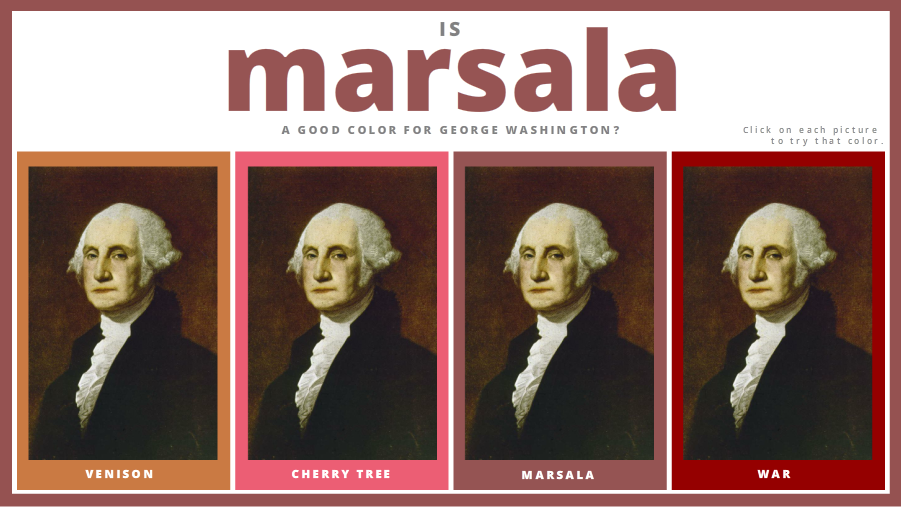
That’s when I discovered that at least one prominent gentleman in our nation’s history used to wear it. Naturally I wondered what he’d look like in marsala, and the rest is – of course – history.

The Colors

In addition to marsala I used three colors inspired by the Pantone color pairings David Anderson supplied, but I made up new names for them. “Cherry tree” is my favorite, but I’m equally proud of “venison” and “war”.

Enjoy!

I hope you like it. This may be my favorite challenge entry so far. I’m also pretty happy that I have an interaction ready to go for Presidents Day! If you haven’t already, you can check it out right here.

Select Image to Launch Demo
Select Image to Launch Demo

Filed Under: E-Learning, Front Featured Tagged With: Articulate Storyline, Community, E-Learning Design, ELHChallenge, Pantone, Show Your Work

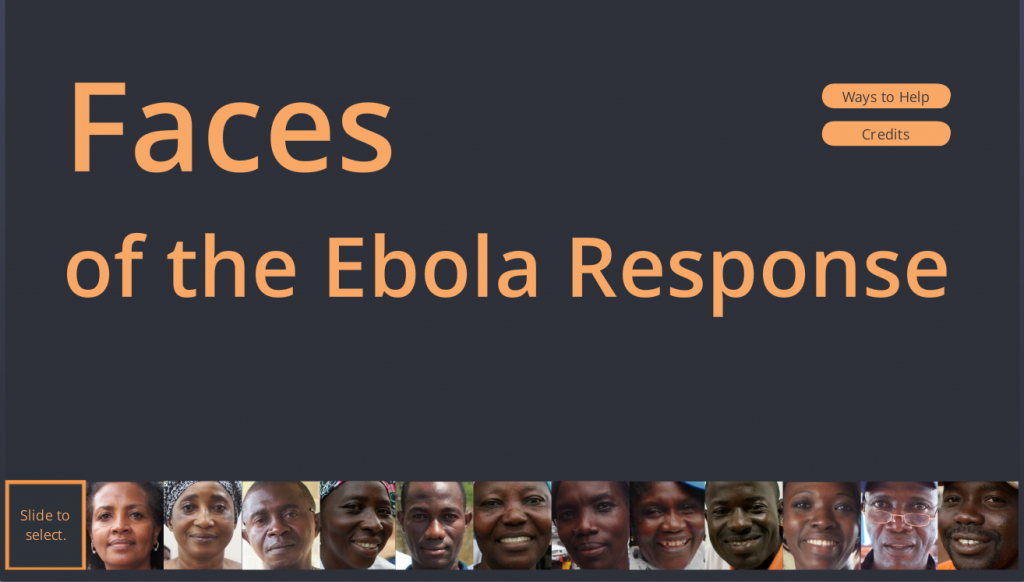
Faces of the Ebola Response

October 12, 2014 By Jackie Van Nice 30 Comments

Select Image to Launch Demo

Select Image to Launch Demo

This week’s Articulate ELH Challenge is to design a learning interaction around the Ebola outbreak. Though I started with a branching scenario about patient triage, it wasn’t resonating with me because it wasn’t what I wanted to say.

The Idea

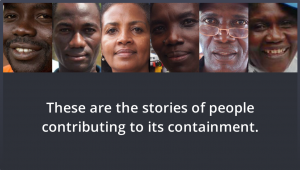
The Individuals

The Individuals

What I wanted to say is that there are people exactly like you and me on the ground who are calmly and quietly taking natural and positive action in response to the situation. This is easy to miss in an unending stream of panicky headlines.

I looked for information and lucked out by finding these profiles from the World Health Organization. Since I couldn’t possibly improve upon the content I simply worked to enhance it by framing it in a way that supports what they’re doing, helps educate people about what’s going on, and possibly motivates them to take action.

The Interaction

The Focus

I wanted simplicity, with complete focus on the individuals. It was tempting to have a more elaborate intro that involved maps and background information about the outbreak, but in the end the photographs and related personal stories tell the tale.

A Simple Intro

A Simple Intro

Slider Navigation

Slider Navigation

The Slider

From the start I envisioned a slider with a movable frame you could use to select a person’s image, and was very happy when I figured out how to do it.

It essentially involved making the slider track completely transparent and creating a frame image that I used as a picture fill for the thumb. That plus a whole lot of fine cropping and alignment work – and voilà! – the slider I had imagined. I also made liberal use of other Storyline features including motion paths, built-in animations, and advanced text control.

The Music

Finding music for this was initially quite tough. I could find lots of West African music, but very little of it evoked the mood I was after. Even when I found songs that did, I had no way of knowing if the message being conveyed – whether literally or culturally – would be appropriate, and the topic is simply too sensitive to risk a bad choice.

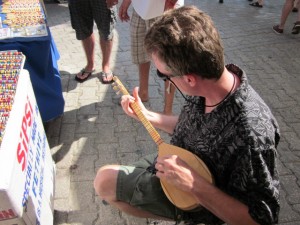
Fortunately I know a guy who knows his way around djembes and mbiras (that’s a picture from when we were shopping for instruments in Turkey), and he generously offered to let me use some music he wrote and recorded. Many thanks to him for that. I chose the song “Numbers” from a CD of kalimba music he did a few years back since I thought it conveyed a sense of calm, steady progress and it had an opening that worked well for this piece.

Dan Sweigert Getting Musical

Dan Sweigert Getting Musical

See it in Action

If you’d like to see it, make sure you have audio and get ready to be inspired by some remarkable individuals right here.

Select Image to Launch Demo

Select Image to Launch Demo

Filed Under: E-Learning, Front Featured Tagged With: Articulate Storyline, Audio, Community, E-Learning Design, ELHChallenge, Emotional Engagement, Show Your Work

A Non-Regulation Spelling Bee

June 2, 2014 By Jackie Van Nice 8 Comments

Select Image to Launch Demo

Select Image to Launch Demo

This week’s Articulate challenge, with a nod to the latest National Spelling Bee, is to build an interactive vocabulary quiz. It’s a great challenge because you can take it in so many directions.

Inspiration

Intro Screen

Intro Screen

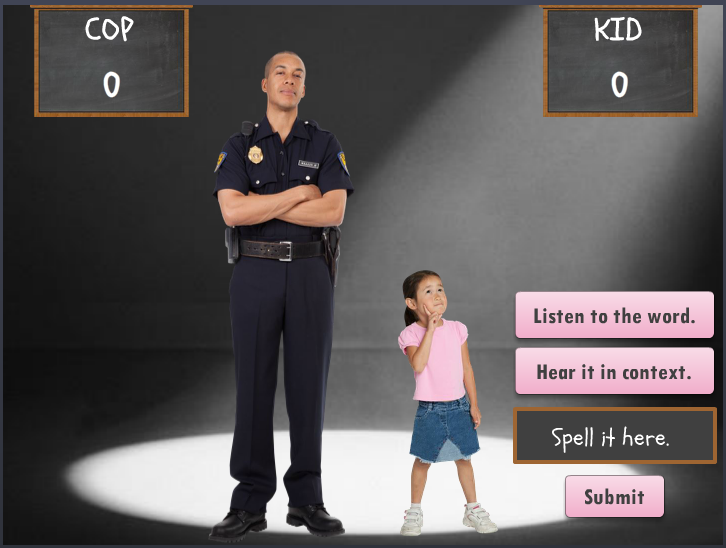
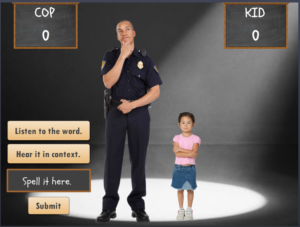
I looked at a lot of interaction types, but when nothing struck me I thought I could at least start by choosing characters to work with. That’s when I remembered I’ve got good stock images of children. When I started looking at extremes (who’s the youngest?) then thought about an opponent (who’s the most unlikely?) I suddenly had my theme.

Content

Going for ridiculous words and context sentences was the only way to do it, and the greater the contrast between the participant prompts, the better. Unfortunately, I have far more knowledge of goofball cop humor than little girl references, so I just had to wing it on the kid side.

Quiz Slide in Action

Quiz Slide in Action

Design

I focused on designing a quick, clean interaction because it’s funnier. I’m pretty happy with it, given the time frame.

Building It

I always have to go back to refresh my memory about how to engineer these things:

  • Each question slide is actually a fill-in-the-blank graded quiz slide.
  • To capture the running game scores I created variables for KidTotal and CopTotal.
  • To add points to their scores, on the “correct” feedback layer I added a trigger that adds a value of 1 to the appropriate KidTotal or CopTotal variable at the beginning of the timeline.
  • To display their scores, I inserted reference fields on the scoreboards to show the current value of KidTotal and CopTotal.
  • I also created variables to take you to one of three possible endings based on the final score.
  • I couldn’t get the text entry screens to refresh after hitting Replay. Those kept holding on to whatever was entered in the prior round. I ended up adding a hidden results slide to create the needed variables so I could add a “reset results” trigger to the Replay button. That worked.

The Result

Select Image to Launch Demo

Select Image to Launch Demo

I think it’s funny. My clue is when I can’t stop laughing long enough to record audio, but it was pretty late at night, so maybe I was just punchy.

I hope you enjoy it – you can see it right here!

Filed Under: E-Learning, Front Featured Tagged With: Articulate Storyline, Audio, Characters, Community, Context, E-Learning Design, ELHChallenge, Games, Voiceover

We’ll Always Have the US Passport Office

March 16, 2014 By Jackie Van Nice 12 Comments

Select Image to Launch Demo

Select Image to Launch Demo

As excited as I am about packing up and heading down to this year’s Learning Solutions conference, I wanted to squeeze in some time to play along with this week’s E-Learning Heroes Challenge, which is about creating interactive screenshots.

The Boring Document: The US Passport Application

The Boring Document: The US Passport Application

Post-Traumatic Budget Analyst Syndrome

I’m pretty sure David wanted us to focus on software for this challenge. I keenly noted this about the time I was posting my completed entry.

He’d remarked in his post how much training all of us create based on documents, charts, and software (then clearly outlined his software challenge in detail) – but “documents” apparently struck a nerve and I was suddenly having a flashback to my life as a Budget Analyst in a very large, document-heavy organization where a big part of the job was getting my peers to understand and (ostensibly) care about reams of vital-yet-soul-deadening documents and forms.

So my reeling mind started working on creative ways to present a stultifying form using the interactive screenshot approach.

The Boring Document

Looking for a dull form? Who ya gonna call? Though the IRS has nothing but contenders, I chose the US Passport Application because:

1. I understand it. (Enough.)
2. I knew I could set up a quick bit of context to show when and why someone would use it.
3. I was hopeful that the context would tap into the learner’s own motivations enough to make them want to, you know – be motivated.

Midcentury Looney Tunes Design

A Midcentury Looney Tunes Design

The Style

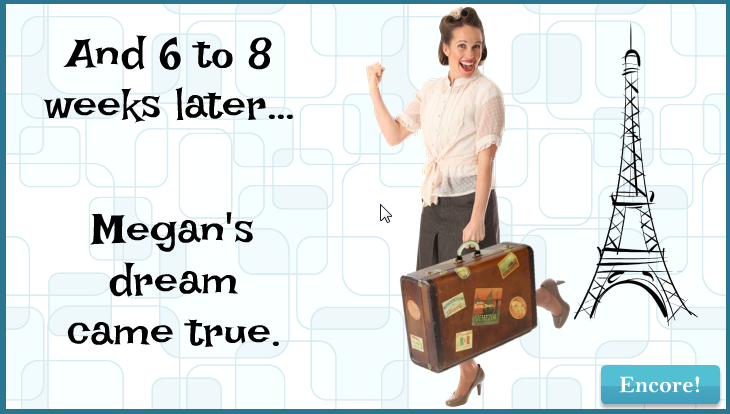
Choosing Paris as a motivational destination was pretty easy. And after I chose the character, the background, the groovy font, and the clipart, it had become sort of a midcentury Looney Tunes kind of thing. So that worked.

Oh, and I liked the blues, but I detested the passport form’s own mustardy color. But I eventually realized it would be a lot easier to integrate it into the color scheme rather than try to mitigate it with other colors.

The Views

But mostly I wanted to focus on a design that made it easy to navigate and understand the document. So I planned three views:

The Multiple Page View

The Multiple Page View

The Multiple Page View: Treating the multiple-page form like a tabbed interaction seemed like a clean approach, so I created my own tabs on the right. It’s simple, with just two pages, but you could make the tabs much smaller and use it for a far more extensive doc, too.

I also put a “Finish” tab there so you could escape at any time, and because I wanted to show the happy aftermath of having effectively used this form, and I needed a link to get there.

The Single Page Overview

The Single Page Overview
Using a Mouse Hover

The Single Page Overview: This is on the same page as the multiple page view; it just requires hovering your mouse. I chunked the form into numbered sections. When you hover over a number, that section becomes highlighted on the right, and on the left a short explanation appears. The hover effects are simply states attached to the number icons.

Section Detail View

The Section Detail View

The Section Detail: When you click on one of the numbered sections (and this is where the interactive screenshot part of the interactive screenshot challenge comes in), you go to a detailed view of that section. I put each of these on a slide layer.

To make the details a bit more involving and helpful, I added some abbreviated instructions and a little demo of what should happen on the form using sound effects and animations.

Of course, these detailed sections could include any number of things. You could have a video showing or telling why a particular item is critical, you could link out to other resources or help, or you could come up with other ways of illustrating what you need to convey for that section.

Attaching the Document: I also thought it made sense to attach the full doc in the player. If this were a real e-learning piece, I’d certainly do that.

Success = Paris!

Or at least it does in this interaction. Here’s the finished piece. I hope you enjoy it, and may you always have great ideas for presenting forbidding documents of your own.

Select Image to Launch Demo

Select Image to Launch Demo

Filed Under: E-Learning, Front Featured Tagged With: Articulate Storyline, Audio, Characters, Community, E-Learning Design, ELHChallenge, Emotional Engagement, Instructional Design, Languages, Visual Design

  • « Go to Previous Page
  • Go to page 1
  • Go to page 2
  • Go to page 3

Primary Sidebar

Welcome!

I’m an award-winning instructional designer and proud Articulate Super Hero who creates e-learning for large organizations. I blog to explain my design process, share tips and tricks, and help others succeed. I hope you enjoy my refreshing gallery of e-learning goodness!

  • View jackietrains’s profile on Instagram
  • View jackievannice’s profile on LinkedIn

Tags

Articulate 360 Articulate Rise Articulate Storyline Articulate Studio Audio Avatars CCAF Characters Community Context Design Makeover Dials Drag & Drop E-Learning Design ELHChallenge Emotional Engagement Free Download Freelancing Games German Glossary Instructional Design Languages Makeover Menu Mobile Motivation Pantone Portfolio PowerPoint Professional Development Quick Reference Quizzes Sales Training Scenarios Show Your Work Software Training Storyline 360 Tables Technical Training Templates Typography Video Visual Design Voiceover

Top Posts & Pages

  • Portfolio
    Portfolio
  • Home
    Home
  • Sexual Harassment Training
    Sexual Harassment Training
  • Sales Mobility Software Training
    Sales Mobility Software Training
  • Navigating a Tasty Circular Menu
    Navigating a Tasty Circular Menu
  • Articulate's E-Learning Heroes Challenges
    Articulate's E-Learning Heroes Challenges
  • About
    About
  • Free Visual Storyboard Template
    Free Visual Storyboard Template
  • Free Storyline Templates
    Free Storyline Templates
  • How to Go Full-Screen & Lose the Player in Storyline
    How to Go Full-Screen & Lose the Player in Storyline

Copyright © 2026 Jackie Van Nice and E-Learning Goodness by Jackie Van Nice