• Skip to primary navigation
  • Skip to main content
  • Skip to primary sidebar

Jackie Van Nice

E-Learning Goodness by Jackie Van Nice

  • Home
  • About
  • Blog
  • Portfolio
    • Articulate’s ELH Challenges
    • Sales Mobility Software
    • Product Sales
    • Sexual Harassment
    • Code of Conduct
  • Freebies
    • Free Storyline Templates
    • Free PowerPoint Templates
    • Free Images
    • Freelancing Tips
    • Free Resources to Help Get Started in eLearning
  • Work With Me
  • Contact

Instructional Design

A Model Smart Enough to Teach Itself

May 15, 2014 By Jackie Van Nice 10 Comments

This week’s Articulate E-Learning Heroes Challenge is to create an interaction to teach something about instructional design. So I took my favorite piece of e-learning wisdom, Michael Allen’s CCAF (Context-Challenge-Activity-Feedback) design model, and used it to teach itself.

Come On In – The Context Is Fine!
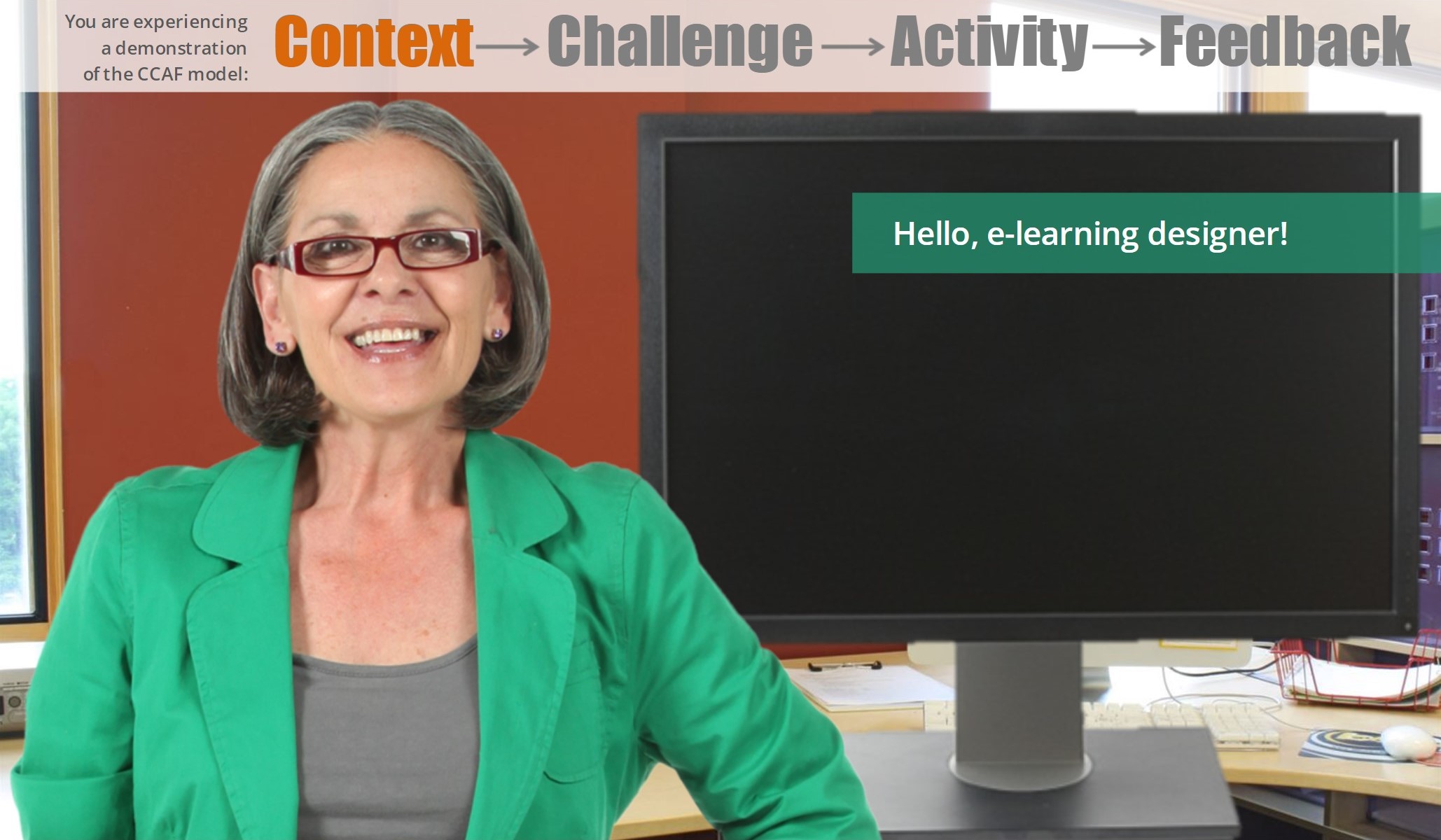
Your Context (Select Image to Launch Demo)

Your Context (Select Image to Launch Demo)

I plunged the learner into a demonstration of CCAF by supplying some context. Turns out you’re an e-learning designer who takes pride in creating effective learning. (Who knew?)

Your Challenge
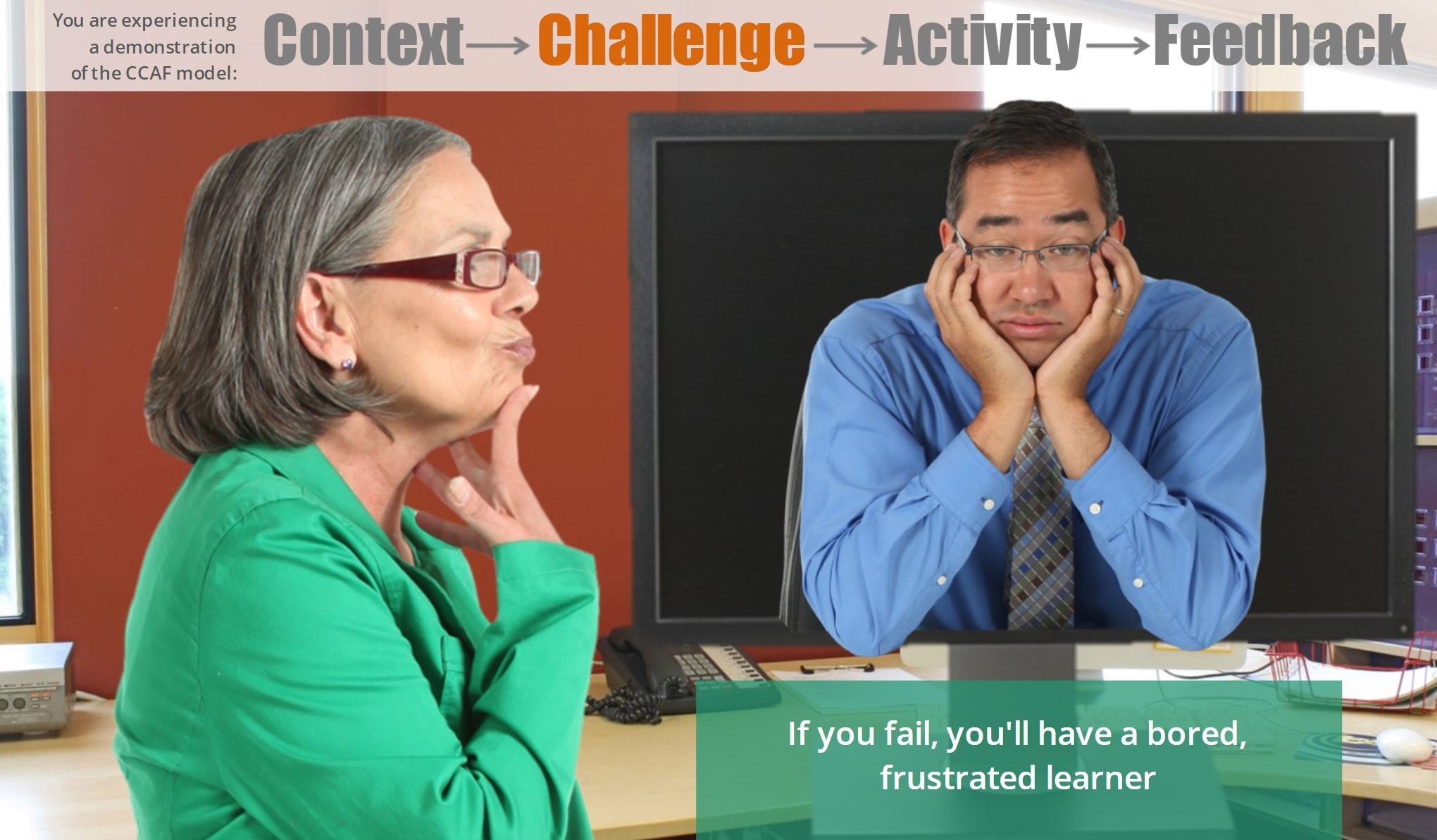
Your Challenge

Your Challenge

Your challenge is to create fabulous e-learning using the CCAF model. If you accept the challenge and fail, you will torment your learners with terrible e-learning. If you succeed, learners will sing your praises and the world will be a better place. You have the option to check out a handful of CCAF tips before you start, but it’s always more fun to just dive in and see what happens.

There’s Something In My Activity
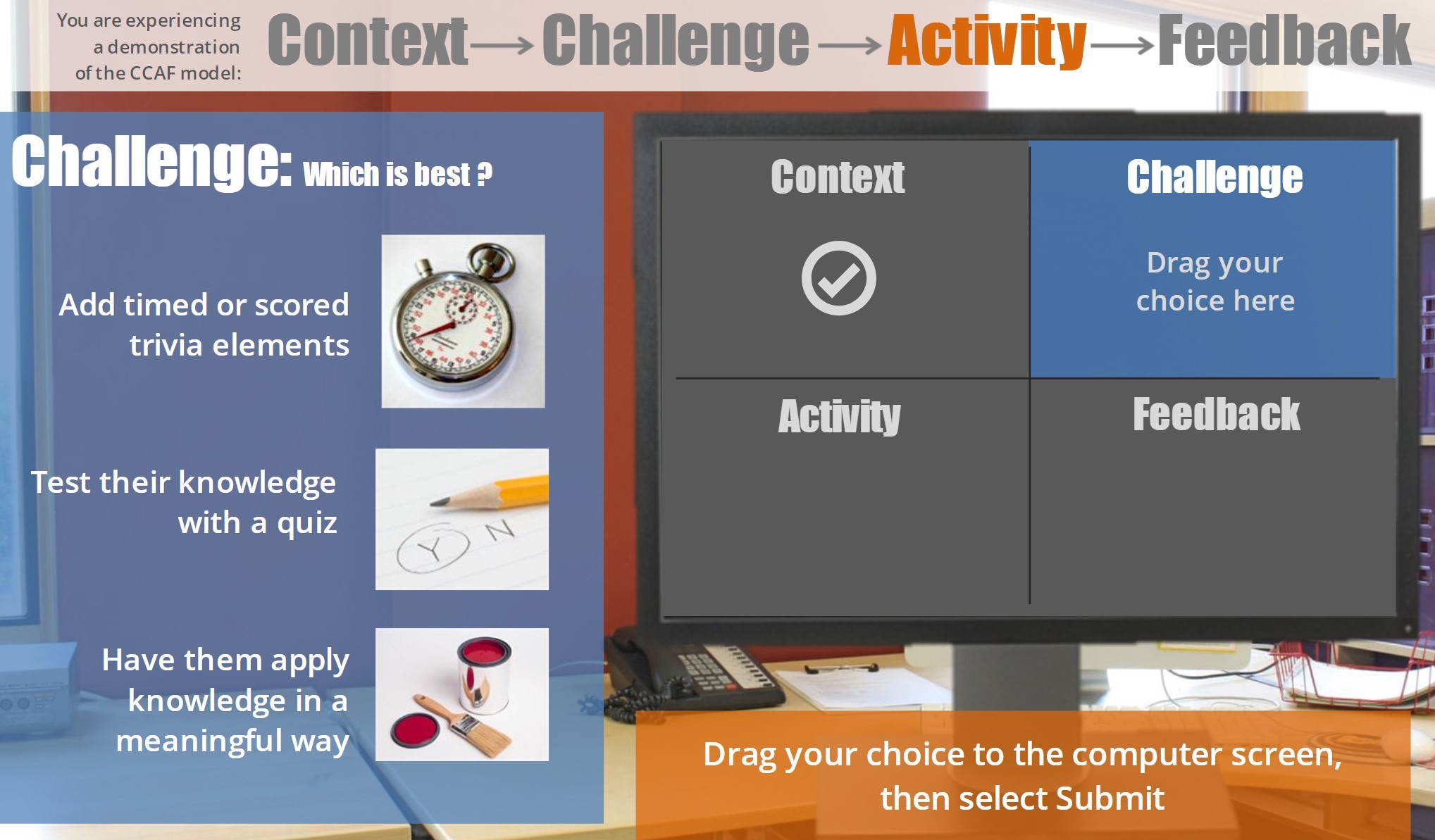
Your Activity

Your Activity

Since the activity part of this CCAF demonstration is to choose effective design elements using all four parts of the CCAF model, this is where it gets a little mind-bending – not for the user so much as the designer. But my CCAF-inside-of-CCAF-induced headaches this week are distant memories now, and they were worth it.

Everything’s Feedbacking – Can’t You Hear It?!*
Your Feedback

Your Feedback

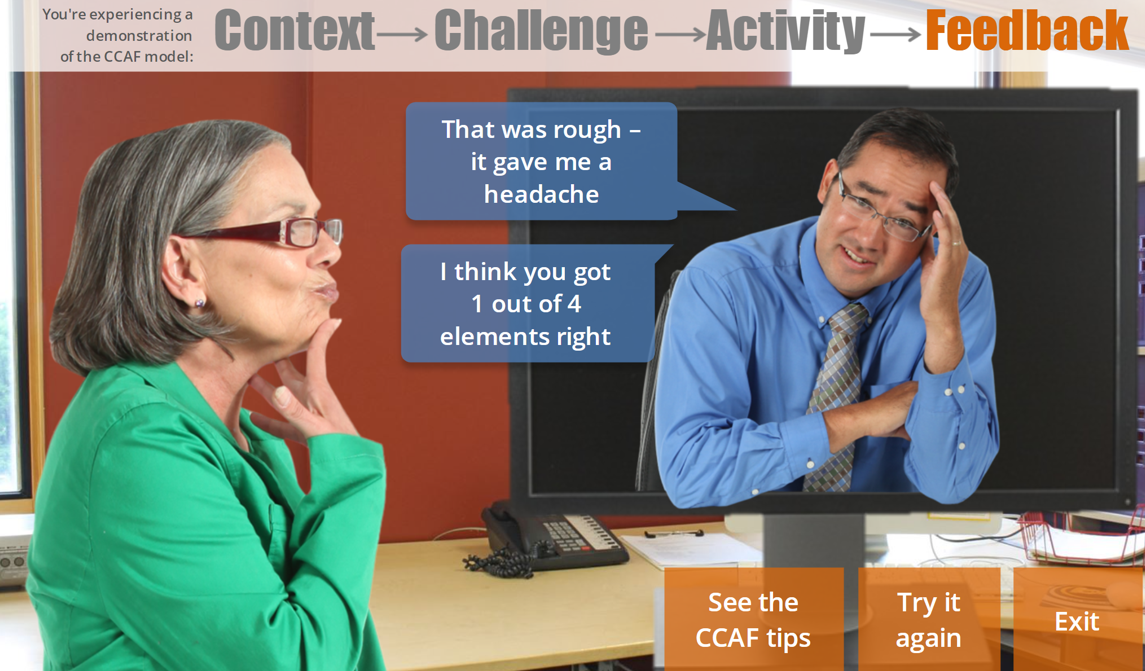
The feedback focuses on showing you the direct result your design choices had on the learner. However, since there are five possible outcomes (choosing 1, 2, 3, 4, or none of the ideal design options) – and I wanted you to be able to go back and play with it to get different results – I decided to give an indication of how many good choices you made, too.

Custom Results Help – Thank You E-Learning Heroes!

I’d never needed so many custom results slides before, and lucky for me – as always! – the Articulate forums came to the rescue. It involved creating 5 custom feedback layers on my results slide – then creating a trigger on the results slide telling it to show the appropriate layer based on the learner’s score using a built-in variable. My shout-out goes to Blair Parkin who offered this helpful little nugget in response to a question, and it really helped me out.
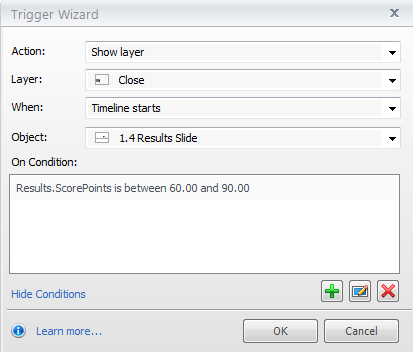
Blair Parkin's Trigger Magic

Blair Parkin’s Trigger Magic

Enjoy!

Hope you like this little demo. It lets you be the superhero e-learning designer you always knew you were, and you can try it out right here.

*Gift to self. It’s an impassioned cry on an Apples in Stereo song that I can’t get out of my head when I think of feedback.

Filed Under: E-Learning Tagged With: Articulate Storyline, CCAF, Characters, Community, E-Learning Design, ELHChallenge, Emotional Engagement, Games, Instructional Design

Does Context Matter? Here’s a Before & After

May 4, 2014 By Jackie Van Nice 4 Comments

Before and After Example: Software Training

Before and After Example: Software Training

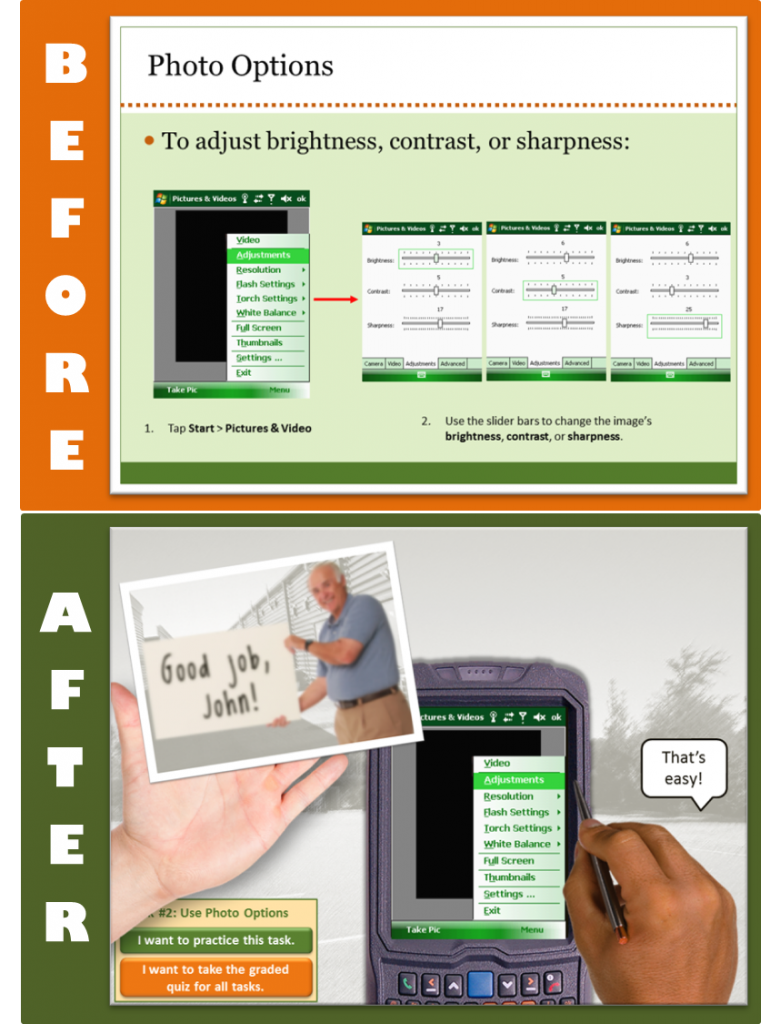
David Anderson’s Articulate challenge last week was to create an example of “bad” e-learning, and this week it’s time to turn “bad” into “good”. He wanted short, focused examples – so I chose a couple of screens and focused on context. The “before” is from a client, the “after” is from the lesson I created for the client.

What’s Context?

Why should I care?My first question in every new project is: “How will the learner use this information in the real world?” Then I try to design the piece from the learner’s post-course real-world point of view to show them why they’ll care about it and when where and how it’s going to come in handy. Using effective context can add lot of interest and learner motivation, too.

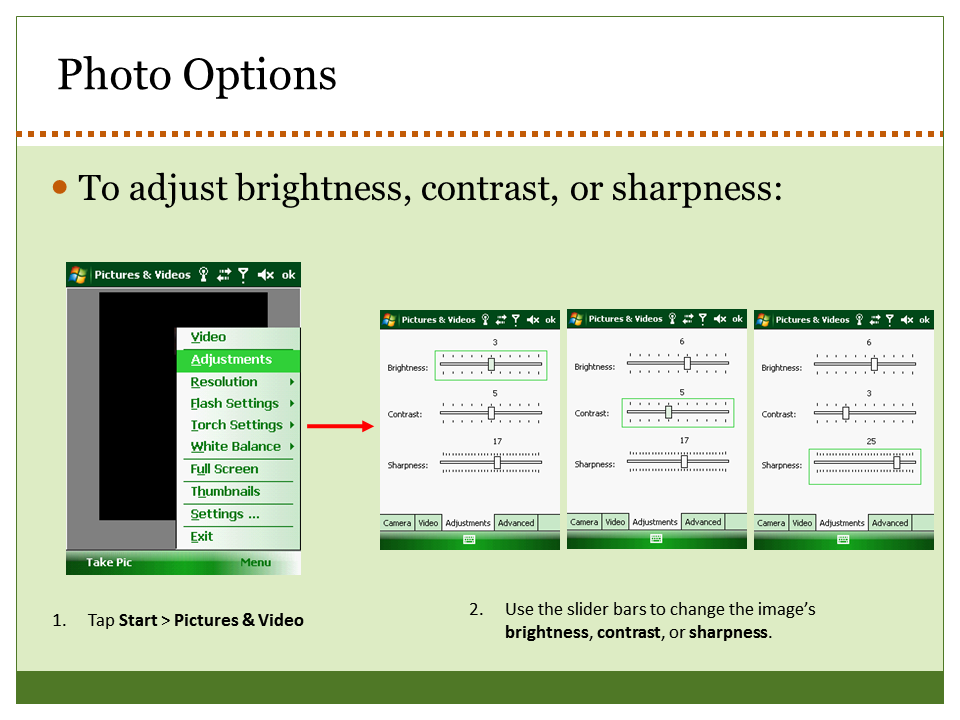
The Bad E-Learning “Before” – Where’s the Context?

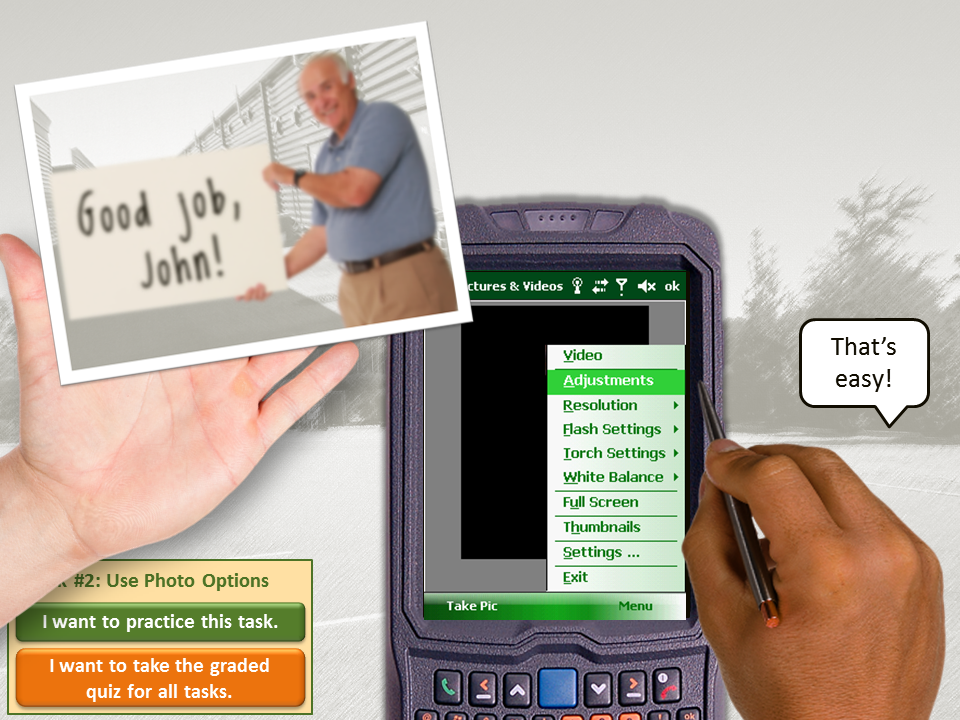
This client had two “before” versions of this training. The learner is a salesperson who needs to know how to use the photo options on his mobile sales device. The first “before” version used the “show me, try me, test me” approach. Both versions were real and both went live.

Bad E-Learning Can Lead to Mimosas

Bad-E-Learning-Inspired Mimosa

The Show-Me-Try-Me-Test-Me Debacle

How I wish I could show you this one! It was done in Captivate (not Captivate’s fault), navigation was completely locked down, the pace was crazy slow, there was no intro or context, and all you saw was the computer screen with a mouse slowly moving around and the occasional text box popping up with cryptic information. Whenever you thought it was your turn to “try” it, it wasn’t.

It was as satisfying and enjoyable as using a voice-response phone system when the robo operator can’t understand anything you’re saying. I could only make it through two or three minutes of this course before I had to literally hang up on it and figuratively go have a mimosa on the veranda to compose myself.

The "Before" Training

The “Before” Training

The Slide-With-Animated-Text-Box Version

The other “before” version is still bad, but you’re never under the delusion that your input is desired or needed and you have a little freedom of navigation, so it’s less offensive. As training, it’s just animated software documentation. It’s context-free and a big snooze, jam-packed with information you’d never be able to retain when presented like this.

The Good E-Learning “After” – There’s the Context!

One Little Hitch

In the real course I teach the salesperson to use the camera during the sales process where they really need it. Since I can’t show you anything about their sales process in this example, I had to get creative.

Select Image to Launch "After" Demo

Select Image to Launch “After” Demo

Plan “B”

Since a manager often takes a new salesperson out into the parking lot to introduce him to the basics of the newly-issued device, that’s the context I used. I knew learners would glaze over when hearing about sexy things like “white balance adjustments”, so I tried to think of a context in which photo adjustments in the parking lot with the manager would have meaning.

I came up with the idea of the salesperson taking practice shots of his manager to show what can go wrong when taking a photo, and then showing him how to make photo adjustments so his manager looks better. (There’s some motivation!) Putting the manager in silly poses added some much-needed humor, too. All together, it brought some context and emotional engagement to a very dry topic.

Before vs. After

Did context help? In reality the client’s salespeople and managers love this course. They find it extremely effective as an introduction to the device, and since it’s made up of many smaller lessons, it’s easy to use as a refresher, too. In case you’re interested, here’s how I designed the course. I even showed it at SolutionFest last year!

Filed Under: E-Learning Tagged With: Articulate Studio, CCAF, Community, Context, Design Makeover, E-Learning Design, ELHChallenge, Emotional Engagement, Instructional Design, Mobile, Sales Training, Show Your Work, Software Training, Technical Training

The Stuff That Résumés Are Made Of

April 22, 2014 By Jackie Van Nice 10 Comments

Select Image to Launch Demo

Select Image to Launch Demo

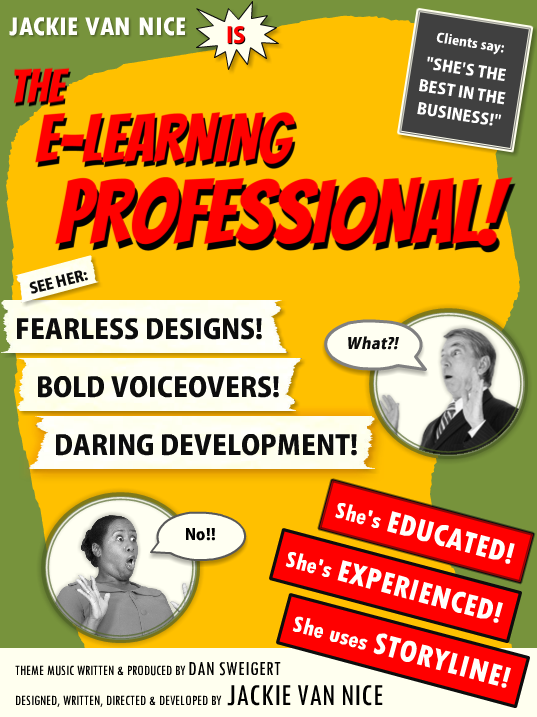
I’d recently been admiring some examples of graphic résumés, but couldn’t imagine how I could ever do one. Turns out Articulate’s resident nudger, David Anderson, keeps an eye out for that sort of thing and his challenge this week is to come up with an interactive résumé or portfolio. So time for me to figure it out.

I haven’t had much call for a résumé since I’ve been independent, but creating an interactive graphic where I could play with the idea of a résumé sounded like fun, so off I went.

Inspiration

My friend and talented freelance e-learning designer Donna Carson gave me edits for a bio I submitted with my DevLearn speaking proposals on Friday. The phrases she used made me want to both laugh and go conquer the world at the same time. Her description of my “fearless flair” in designing training inspired me to come up with “Fearless Designs!” “Bold Voiceovers!” and “Daring Development!” to describe what I do. For graphic inspiration I turned to old movie posters. They had the expressive graphics and cool details I wanted, plus they could handle the dramatic phrases I had in mind.

My Graphic Inspiration

My Graphic Inspiration

Design

Graphics: To start, I pinned old movie posters I liked and chose a color scheme that resonated with me. You can clearly see I used the colors and rough layout of the Charlie Chan at the Wax Museum poster. For text callouts and credits I used elements based on other posters including The Beast From 20,000 Fathoms.

Theme: I chose a detective theme because I was drawn to the idea of Humphrey Bogart’s Sam Spade. He’s on the right side of the law, but still seems a little shady. (His line that the Maltese Falcon is “the stuff that dreams are made of” inspired this post’s title.)

More Graphic Inspiration

More Graphic Inspiration

The Theater: I wanted an entry screen so that, once clicked, the user’s full attention is on the initial visuals, music, and animation when they hit the main screen – and having them click a ticket to get inside made sense.

The way the overall flow works is based on the little theater I practically lived at as an undergrad at Humboldt State University in Arcata, California. The Minor, off the little town square, was an old art house movie theater that changed its double or triple features at least three times a week. I spent a few thousand of the happiest hours I’ve ever spent in my life there, and got to see a gabillion classic movies like the ones that inspired this piece.

The Minor Theater

The Minor Theater

When it was cold out, you’d come off the street through a thick red curtain, get popcorn and admire the old movie posters in the lobby, then go through another red curtain to enter the theater. So I was seeing my résumé as one of those old posters in the lobby.

Audio: I wanted to bring it to life with sound. There are effects for audience buzz, curtains being pulled aside, cheers, applause, police whistles, sirens, screams, breaking glass, etc., but I wanted a theme song. The whole time I was working on this I kept hearing a driving theme somewhere between Peter Gunn and James Bond. Lucky for me I’ve got an “in” with talented songwriter, musician, and freelance e-learning guy Dan Sweigert who was able to write and produce the theme song in no time flat.

Content

EducationRésumé Elements: I kept it simple and included my (boldly-phrased) skill set, education, experience, and the main software I use. The sections for education and experience were by far the biggest creative challenges, but in the end I was happy to find a quick way to blow through them that still maintains the tone and theme.
Brevity: I find it endlessly entertaining that each of the links from the main screen shows just one screen of content (at best) that makes the audience go wild. I wanted to get in, show a glimpse of just a morsel of my work, and get out.

See It In Action!

Enjoy the vintage-inspired goodness right here.

Filed Under: E-Learning Tagged With: Articulate Storyline, Audio, Characters, Community, E-Learning Design, ELHChallenge, Emotional Engagement, German, Instructional Design, Portfolio, Professional Development, Typography, Video, Visual Design

My Sketchy Life as an E-Learning Designer

April 14, 2014 By Jackie Van Nice 11 Comments

Click Image to Launch Demo

Click Image to Launch Demo

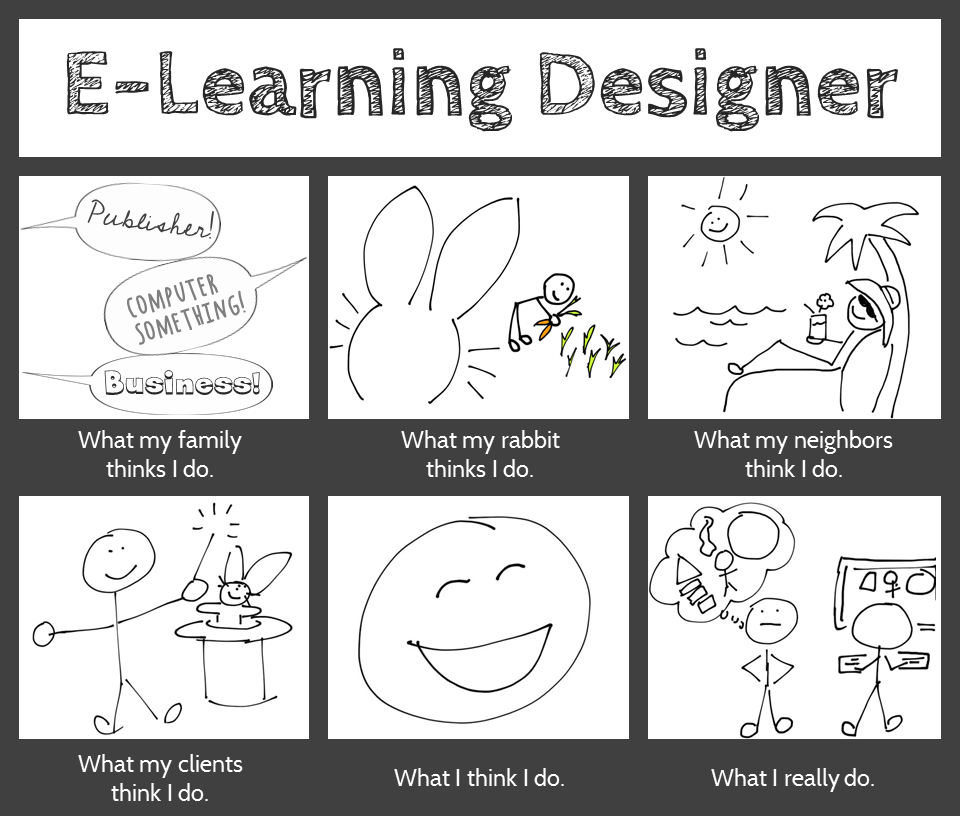
Since so many people are sketchy about what we do as e-learning designers, it seems appropriate to answer this week’s Articulate challenge in a similar vein. This week’s challenge is to answer the question “What do e-learning designers really do?” using the architecture of a visual meme supplied by David Anderson.

Design

I considered doing something interactive in Storyline, but went for a simple image instead. I’ve been playing with sketches lately and it seemed like a good sketching exercise. I created the finished image in PowerPoint.

Sketches: I made these on an iPad with an app called Pencilicious and a generic cell phone stylus. It would have been hugely easier with a stylus that wasn’t shaped like a big fat pencil eraser, but they don’t call this a “challenge” for nothing.

My process to go from scribbling to having usable PNG files: Sketch on iPad > email to self as PDF > export images as PNGs > use ’em! I was impressed with Pencilicious. It was the simple, easy-to-use app I was hoping for at only $2.99, and I’m looking forward to using it more.

Colors: I tamed the all-black frame of David’s example to more of a graphite color to work with the pencil-like theme. The only other colors are in the carrot garden, and that was because I didn’t think my carrots would look like carrots without color. I tried balancing that color with color elsewhere, but didn’t like it. So it’s an unbalanced design in favor of my bunny’s carrots.

Fonts: I’ve been in love with the header font, Cabin Sketch, since we first met. I’ve not had a chance to use it until now, so color me happy. The caption font is Cabin (brother of Cabin Sketch), and the three fonts in the first frame are Cedarville Cursive, Chocolate Windows, and Sneakerhead BTN Shadow.

Content

What my family thinks I do. This is dead accurate. My sister-in-law just sent me a job post, happily noting that it sounds “just like you!” It was for a publishing job. My brother suspects I do something with computers, and my lovely mother excitedly tells everyone she can that I’m an extraordinary businesswoman. (She’s sweet like that.)

What my family thinks I do.

What my rabbit thinks I do. All she knows is that I come up with endless feasts of carrots and kale, and she knows you get carrots by digging them up, so she probably thinks this is what I’m up to all day.

What my neighbors think I do. There’s no way they’d even have a guess. Best case, they think I spend all my time goofing off between vacations.

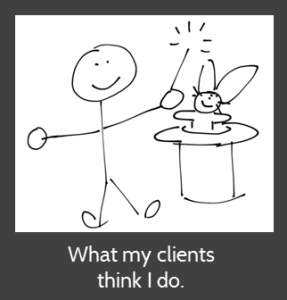
What my clients think I do. I adore them because they think I make magic happen.

What my clients think I do.What I think I do. I love what I do as an e-learning designer (don’t tell anyone), and between that and getting to work for myself from home, it’s hard not to be happy.


What I really do. I do what we all do: I work with clients; take in a gazillion project details; organize, analyze, and process them; dream up attractive, effective, and fun training solutions; and build them. (In a computer! So my brother was right.)

Hope you like it!

Filed Under: E-Learning Tagged With: Community, E-Learning Design, ELHChallenge, Emotional Engagement, Instructional Design, Professional Development, Show Your Work, Typography, Visual Design

Let’s Start at the End (Of Your Course)

April 8, 2014 By Jackie Van Nice 2 Comments

Select Image to Launch Demo

Select Image to Launch Demo

This week’s Articulate E-Learning Heroes challenge is to send a little love to the end of your course. It can be lonely and confusing back there – (“Is it over?” “What am I supposed to do?”) – so this week we’re sending back a life line.

Context & Theme

I wanted to indicate we’re starting at the very end of an interminably long course. My first choice was to start at the end of pi, but finding the end of pi is even more nebulous than the end of most courses, so that was out. (Maybe when I see Neil DeGrasse Tyson at DevLearn in October I’ll ask him if he’s made any progress on that Pi issue.)

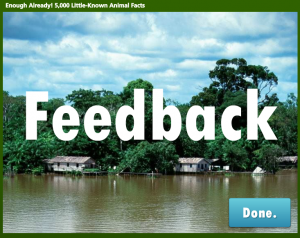
So instead I created (the end of) a course called “Enough Already! 5,000 Little-Known Animal Facts”, which starts on the last part of the last fact about the last animal.

Indicating Completion and Next Steps

Indicating Completion and Next Steps

Spelling it Out

To be clear that you’ve reached the end of the course, I start with a congrats slide that also indicates you have a little more to do before you go.

Final Decisions

Final Decisions

Final Decisions

Which leads to an animal-themed screen where you get to make decisions. Hover State Visual: Hovering over each picture reveals where you’ll go if you click on it. Hover State Audio: Hovering also reveals a bit of audio. Its purpose is to add a touch of interest, amusement, and wake you up – but there have been reports of startled coworkers and kitties as of late, so consider yourself warned.

Gate Screen for Feedback

Gate Screen for Feedback

Gate Screens

After you make a selection you’ll go to a gate screen to confirm your choice. David Anderson had a gate screen challenge a few months ago where he talked about them, and you can also see the different examples created by members of the community.

Feedback Placeholder

Feedback Placeholder

Room for More

In this example, if you choose anything other than “Exit” you’re taken to placeholder slides that could harbor summarizing thoughts, more resources, ideas for review, or a means of leaving feedback.

See it in Action!

Take a look at this wild little ending right here.

Filed Under: E-Learning Tagged With: Articulate Storyline, Community, E-Learning Design, ELHChallenge, Emotional Engagement, Instructional Design, Show Your Work, Visual Design

  • « Go to Previous Page
  • Go to page 1
  • Interim pages omitted …
  • Go to page 10
  • Go to page 11
  • Go to page 12
  • Go to page 13
  • Go to page 14
  • Go to Next Page »

Primary Sidebar

Welcome!

I’m an award-winning instructional designer and proud Articulate Super Hero who creates e-learning for large organizations. I blog to explain my design process, share tips and tricks, and help others succeed. I hope you enjoy my refreshing gallery of e-learning goodness!

  • View jackietrains’s profile on Instagram
  • View jackievannice’s profile on LinkedIn

Tags

Articulate 360 Articulate Rise Articulate Storyline Articulate Studio Audio Avatars CCAF Characters Community Context Design Makeover Dials Drag & Drop E-Learning Design ELHChallenge Emotional Engagement Free Download Freelancing Games German Glossary Instructional Design Languages Makeover Menu Mobile Motivation Pantone Portfolio PowerPoint Professional Development Quick Reference Quizzes Sales Training Scenarios Show Your Work Software Training Storyline 360 Tables Technical Training Templates Typography Video Visual Design Voiceover

Top Posts & Pages

  • Portfolio
    Portfolio
  • Home
    Home
  • Sexual Harassment Training
    Sexual Harassment Training
  • Sales Mobility Software Training
    Sales Mobility Software Training
  • Navigating a Tasty Circular Menu
    Navigating a Tasty Circular Menu
  • Articulate's E-Learning Heroes Challenges
    Articulate's E-Learning Heroes Challenges
  • About
    About
  • Free Visual Storyboard Template
    Free Visual Storyboard Template
  • Free Storyline Templates
    Free Storyline Templates
  • How to Go Full-Screen & Lose the Player in Storyline
    How to Go Full-Screen & Lose the Player in Storyline

Copyright © 2026 Jackie Van Nice and E-Learning Goodness by Jackie Van Nice