• Skip to primary navigation
  • Skip to main content
  • Skip to primary sidebar

Jackie Van Nice

E-Learning Goodness by Jackie Van Nice

  • Home
  • About
  • Blog
  • Portfolio
    • Articulate’s ELH Challenges
    • Sales Mobility Software
    • Product Sales
    • Sexual Harassment
    • Code of Conduct
  • Freebies
    • Free Storyline Templates
    • Free PowerPoint Templates
    • Free Images
    • Freelancing Tips
    • Free Resources to Help Get Started in eLearning
  • Work With Me
  • Contact

Emotional Engagement

Using Toys in E-Learning: Employee Meeting

March 22, 2015 By Jackie Van Nice 16 Comments

 Select Image to Launch Demo

Select Image to Launch Demo

This week’s Articulate challenge is to use toys to help tell a story in e-learning. My toys were game, so we went for it.

It's Just a Meeting

It’s Just a Meeting

The Idea

The toys I grabbed for the challenge were a little funny-looking, so for contrast I put them into a perfectly serious staff meeting.

I exploited what might be their challenges if they really worked in an office, then built the learning points around that.

Over-the-Shoulder Shot
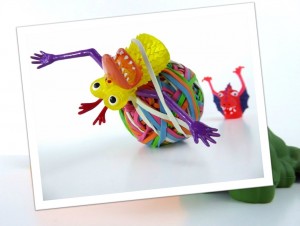
Over-the-Shoulder Shot

Issues in the Office

Issues in the Office

Image Production

I took still shots of each character and had to work at getting the right angles, lighting, images sizes, etc. It took a few tries, but I eventually got what I wanted. I especially like the over-the-shoulder and head-on shots.

Audio Production

Though I wrote the script, I decided to ask Dan Sweigert if he’d do the voices. Lucky for me, he did – and I recorded it directly into Storyline.

The Benefit of Using Toys

Even in a quick demo like this it’s easy to see that using toys to mimic real-life touchy situations makes it easier to address them, and adding humor never seems to hurt.

Time to Play!

Ready to see how this meeting went? You can attend it right here. 

 Select Image to Launch Demo

Select Image to Launch Demo

Filed Under: E-Learning, Front Slider Tagged With: Articulate Storyline, Characters, E-Learning Design, ELHChallenge, Emotional Engagement, Instructional Design, Show Your Work, Visual Design, Voiceover

Keeping It Odd

March 14, 2015 By Jackie Van Nice 12 Comments

Select Image to Launch Demo

Select Image to Launch Demo

This week’s challenge is to make up an odd-sounding course title, then design the cover slide. I got inspired by some of the fauna here in South Carolina and went with it.

gator02Our Gators

I love that we get to share this area with the local alligators. Sometimes on our walks we’ll stumble a bit too close to a guy and calmly give him a wide berth, but we all get along famously.

golfer_trans2Our Golfers

Since golfers are also rife around here, especially near gator ponds, I considered what an e-learning course about alligator safety for those guys might look like.

The E-Learning Course

Teaching the golfer how to stay safe by showing him the alligator’s perspective seemed like an engrossing way to go. Especially if you realize, from screen one, that you may be dinner. Of course the goal would be to keep both parties safe.

Visual Design

I purchased my well-dressed golfer, but made the alligator out of PowerPoint shapes. For fonts, I liked the chunkiness of Clarendon against the fancy-restaurant deliciousness of Edwardian Script. All in all, I’m pretty happy with it.

Check it out!

Grab your golf clubs and enjoy this tantalizing title slide right here.

Filed Under: E-Learning Tagged With: Articulate Storyline, Characters, Context, E-Learning Design, ELHChallenge, Emotional Engagement, Instructional Design, PowerPoint, Show Your Work, Typography, Visual Design

Build & Share Your Own Image Library!

March 2, 2015 By Jackie Van Nice 9 Comments

I Took This Photo, Added Some Text, and Voilà! My Title Image

I Took This Photo, Added Some Text, and Voilà! My Title Image

This week’s challenge is to create a set of e-learning images to share with other course designers. Recently I’ve been contributing images to MorgueFile via their daily challenges (which I wrote about here), but was excited to put together a full set of related images.

The Setting

I was headed to a nearby island with a friend on Saturday anyway, so I grabbed my camera and spent a chilly afternoon snapping away. This location is often used for group retreats, and I tried to capture as many types of usable images as possible.

Simple Backgrounds

It’s easy to make simple background images. Below left you can see my pictures of wine glasses and some dry plants. On the right are the same pictures after I applied a couple of PowerPoint effects. It’s simple and I love the result.

Left: My Unretouched Images. Right: The Same Images With Simple PowerPoint Effects

Left: My Unretouched Photos. Right: The Same Images With Simple PowerPoint Effects

Scenario Backgrounds

When I create e-learning scenarios, I try to treat them like a movie. I go for the wide establishing shot, the group shot, the two-person shot, the one-person shot, and all sorts of close-ups. I took lots of pics with that approach in mind, where you can easily add in characters. These images are also HUGE, so they’re easy to crop to focus on any area you’d like.

Here Are a Few of My Scenario Backgrounds: Just Add Characters!

Here Are a Few of My Scenario Backgrounds: Just Add Characters!

Objects & Themes

Recycling? Home? Nature? Recreation? Food Service? I found lots of image subgroups to play with. With a little creativity, they can be used in endless ways.

I Love These Images For Their Great Colors and Shapes

I Love These Images For Their Great Colors and Shapes

This is a Cottage Where I Focused on Photographing Everyday Objects & Scenario Backgrounds

This is a Cottage Where I Focused on Photographing Everyday Objects & Scenario Backgrounds

I Just Love These Recycling Bins - They're Fantastic Images to Work With

I Just Love These Recycling Bins – They’re Fantastic Images to Work With

These are Just a Few of the Objects I Found at a Community Dining Hall

These are Just a Few of the Objects I Found at a Community Dining Hall

Download Them for Free!

Update: I’m not seeing these up on MorgueFile anymore – but if you can find ’em, you can use ’em!

Filed Under: E-Learning Tagged With: Characters, Community, Context, E-Learning Design, ELHChallenge, Emotional Engagement, Free Download, Instructional Design, Professional Development, Show Your Work, Visual Design

Taking the Sting Out of Medical Training

February 10, 2015 By Jackie Van Nice 4 Comments

Select Image to Launch Demo

Select Image to Launch Demo

This week David Anderson challenged us to present a bit of medical training. Good thing this e-learning doctor is “in”.

A Quick-Reference App

I liked the idea of addressing something relatively simple – like a bee sting – and if you need that kind of info you want it quickly and on-the-go.

I kept picturing something app-like that would work well on my iPhone, so that’s where the screen size, orientation, and much of the navigation came from.

Speeding Things Up

I’d originally pictured more animations and transitions, but chose to let you get to the information more quickly rather than waste time waiting for extras like that. You’ll notice there’s even a “Skip Intro” option so you can go straight to the remedies.

The Content

All of the how-to images and written information came from Wiki How’s How to Treat a Bee Sting. In my demo I give credit and link to their post in the main menu.

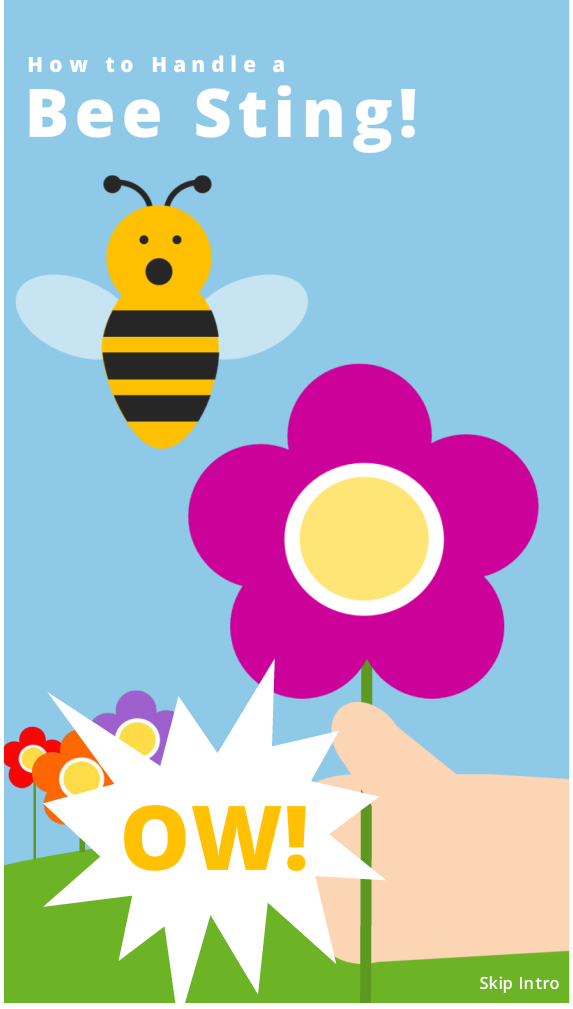
I made all of the pictographs for the intro by creating shapes in PowerPoint and saving them as PNGs that I brought into Storyline as pictures, with a few added shapes I created right in Storyline.

My Bee

My Bee

The Result

You’re welcome to try it out and enjoy my pictogram bee, too! He didn’t mean to do anything wrong. He’s just an innocent guy putting in a hard day’s work among the flowers.

This works great on my iPhone, by the way. I’m very happy (appy?) with it. I hope you like it, too!

Filed Under: E-Learning Tagged With: Articulate Storyline, Context, E-Learning Design, ELHChallenge, Emotional Engagement, Instructional Design, Mobile, Quick Reference, Show Your Work, Visual Design

Make it a Game: Climb Heroes Mountain!

December 31, 2014 By Jackie Van Nice 17 Comments

Select Image to Launch Demo

Select Image to Launch Demo

When people are new to the Articulate E-Learning Heroes community I like to point out a few things on the site to help them get going. Even if you know something exists – the weekly challenges, for example – you might not know how to find it.

Make a Game of It!

I thought it’d be fun to create a game that gets newbies to explore the site and points out some of the best tools around to help them succeed in their jobs. I’m entering it into David Anderson’s gaming challenge where I already have one cold, foamy, refreshing entry – but can you ever have enough games?

Some Nifty Features

Here are some elements I used that you could include in any game or interaction to make it more fun, effective, and appealing.

  • Images That Looks Just Like the Site's

    Images That Looks Just Like the Site’s

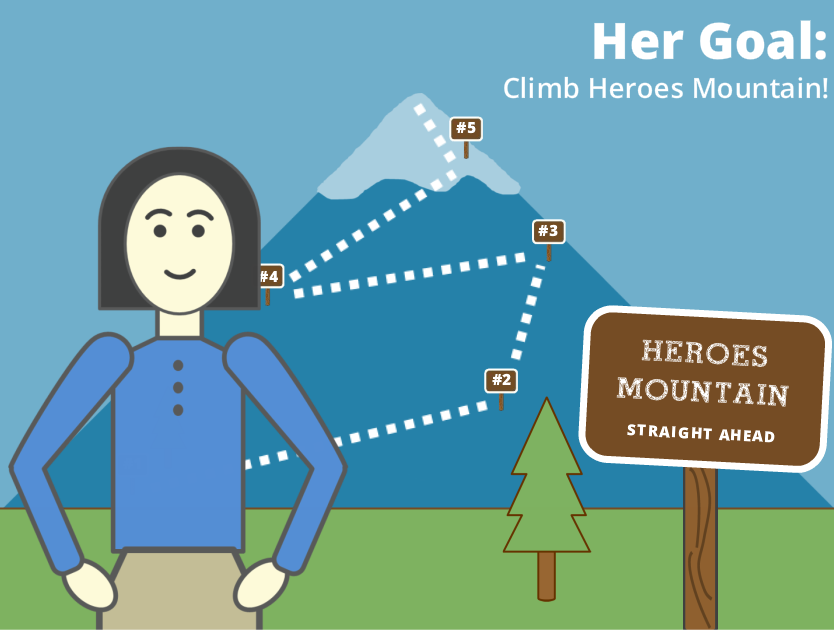
    A fully-realized and consistent theme: Since the topic is the ELH site, I tapped into its visual style and themes to create my own. I used the mountain on the ELH Discussions page and the happy campers in front of it to establish my camping and mountain-climbing theme. I also created pictogram images that mimic the look and feel of the site’s own images.

  • A game goal: The goal is to climb Heroes Mountain by taking on a series of challenges. Each challenge involves navigating the ELH site to find something of value.
  • Real-World Challenges & Motivation

    Real-World Challenges & Motivation

    Real-world motivation: Aligning your learner’s motivation with the game’s goals makes it involving from the start. My game character is new to e-learning and needs help in her job, just like lots of newcomers. What better motivation to learn about the helpful features of ELH?

  • Real-world decision making: In the game, you search for things on the site just like you would in real life. The only difference is feedback. If you’re headed in the right direction, feedback is delayed until you arrive at your goal. If you’re headed in the wrong direction, you learn more about the site and get a prompt to remind you of your goal.
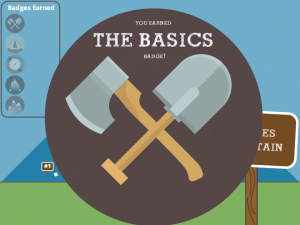
  • Game Progress: Badges!

    Game Progress: Badges!

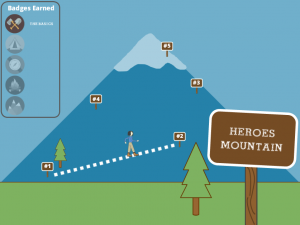
    Game Progress: Some Mountain Climbing

    Game Progress: Some Mountain Climbing

    Giving rewards and showing progress: After you meet each challenge, you earn a themed badge and your virtual stand-in climbs a little higher up the mountain. Seeing a goal and your progress towards it is always good motivation to keep going.

  • A satisfying result: Not only is there a “win” at the top of Heroes Mountain, but the game’s character also wins since meeting the challenges on the ELH site helped her become more successful in her job.

Ready to Make Your Own?

If you’d like to make your own game (and find lots of inspiring examples!) check out these game-specific ELH challenges: Create a Simple E-Learning Game, Steal This E-Learning Template, and E-Learning Games for Kids. Plus you can find lots of free templates to get started on the ELH site!

Happy new year – and happy climbing! You can make your way up Heroes Mountain right here.

Filed Under: E-Learning, Front Slider Tagged With: Articulate Storyline, Characters, Community, E-Learning Design, ELHChallenge, Emotional Engagement, Games, Instructional Design, Professional Development, Show Your Work, Visual Design

  • « Go to Previous Page
  • Go to page 1
  • Go to page 2
  • Go to page 3
  • Go to page 4
  • Go to page 5
  • Interim pages omitted …
  • Go to page 8
  • Go to Next Page »

Primary Sidebar

Welcome!

I’m an award-winning instructional designer and proud Articulate Super Hero who creates e-learning for large organizations. I blog to explain my design process, share tips and tricks, and help others succeed. I hope you enjoy my refreshing gallery of e-learning goodness!

  • View jackietrains’s profile on Instagram
  • View jackievannice’s profile on LinkedIn

Tags

Articulate 360 Articulate Rise Articulate Storyline Articulate Studio Audio Avatars CCAF Characters Community Context Design Makeover Dials Drag & Drop E-Learning Design ELHChallenge Emotional Engagement Free Download Freelancing Games German Glossary Instructional Design Languages Makeover Menu Mobile Motivation Pantone Portfolio PowerPoint Professional Development Quick Reference Quizzes Sales Training Scenarios Show Your Work Software Training Storyline 360 Tables Technical Training Templates Typography Video Visual Design Voiceover

Top Posts & Pages

  • Portfolio
    Portfolio
  • Home
    Home
  • Sexual Harassment Training
    Sexual Harassment Training
  • Sales Mobility Software Training
    Sales Mobility Software Training
  • Navigating a Tasty Circular Menu
    Navigating a Tasty Circular Menu
  • Articulate's E-Learning Heroes Challenges
    Articulate's E-Learning Heroes Challenges
  • About
    About
  • Free Visual Storyboard Template
    Free Visual Storyboard Template
  • Free Storyline Templates
    Free Storyline Templates
  • How to Go Full-Screen & Lose the Player in Storyline
    How to Go Full-Screen & Lose the Player in Storyline

Copyright © 2026 Jackie Van Nice and E-Learning Goodness by Jackie Van Nice