• Skip to primary navigation
  • Skip to main content
  • Skip to primary sidebar

Jackie Van Nice

E-Learning Goodness by Jackie Van Nice

  • Home
  • About
  • Blog
  • Portfolio
    • Articulate’s ELH Challenges
    • Sales Mobility Software
    • Product Sales
    • Sexual Harassment
    • Code of Conduct
  • Freebies
    • Free Storyline Templates
    • Free PowerPoint Templates
    • Free Images
    • Freelancing Tips
    • Free Resources to Help Get Started in eLearning
  • Work With Me
  • Contact

Community

Help! Someone Abducted My Digital Tools!

July 6, 2014 By Jackie Van Nice 16 Comments

Main Menu

This week’s Articulate challenge is to create emergency-response instructions using non-digital means. This one nearly did me in. Where are the emergency instructions for when you’re caught in the middle of an Articulate challenge?

The Idea

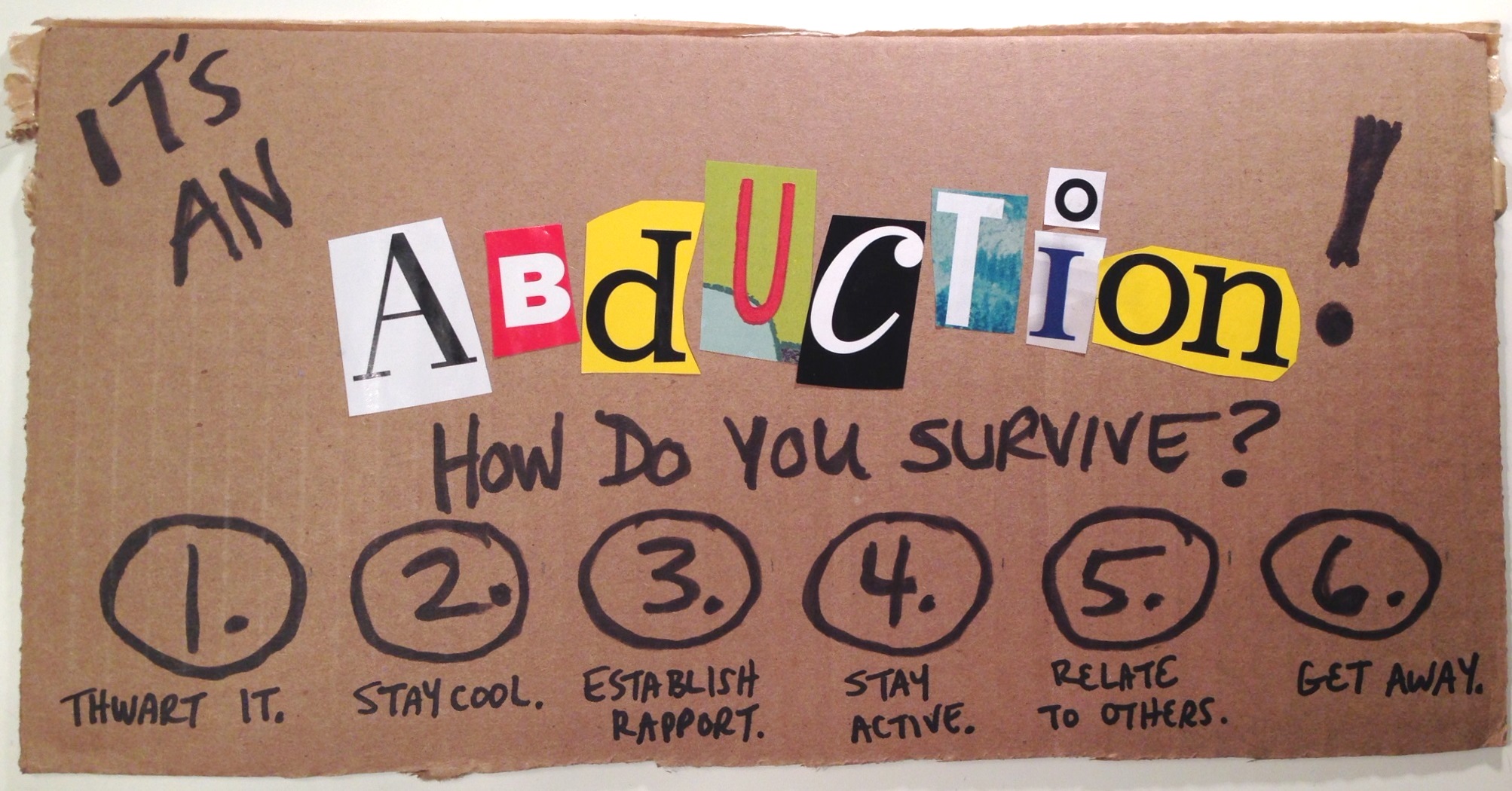
I started by working on hurricane response instructions since we like that sort of thing in the Southeastern US. But once I got to pondering non-digital font equivalents I thought of non-digital scissor-and-magazine font creation, which made me think of ransom notes, which took me to kidnapping, which led me to wikiHow where they’re apparently well versed in that sort of thing. An abduction it would be!

The Design

I kept it simple with a main menu and corresponding detail pages. If it hadn’t been my second version in two days, I would have included more detail.

This design had to make the most of the cut-out letters, and that’s what I hated so much about the first version: I’d done an elaborate and detailed job on it, but the impact of the ransom-note effect was completely lost. I hated, hated, hated it.

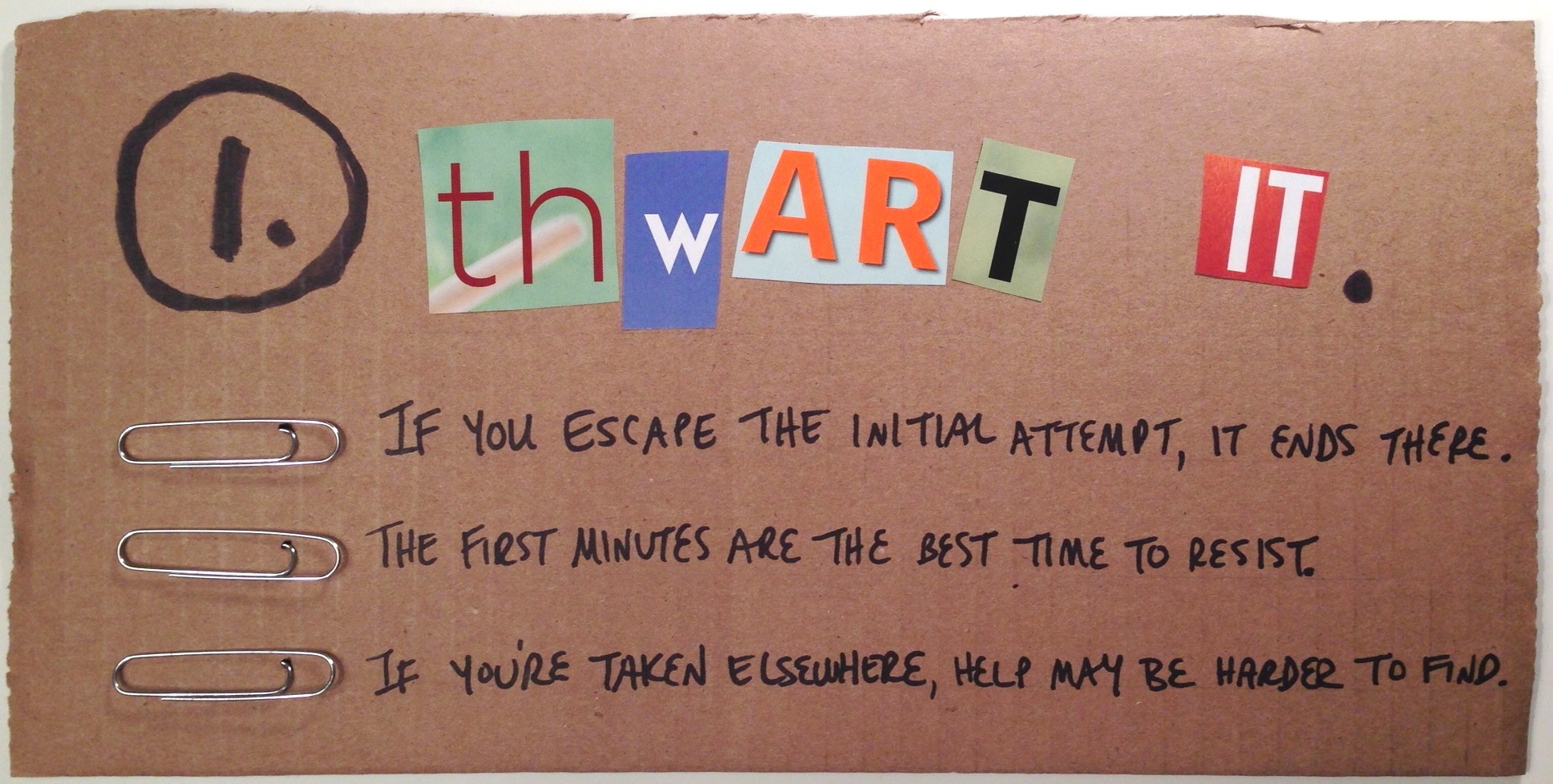
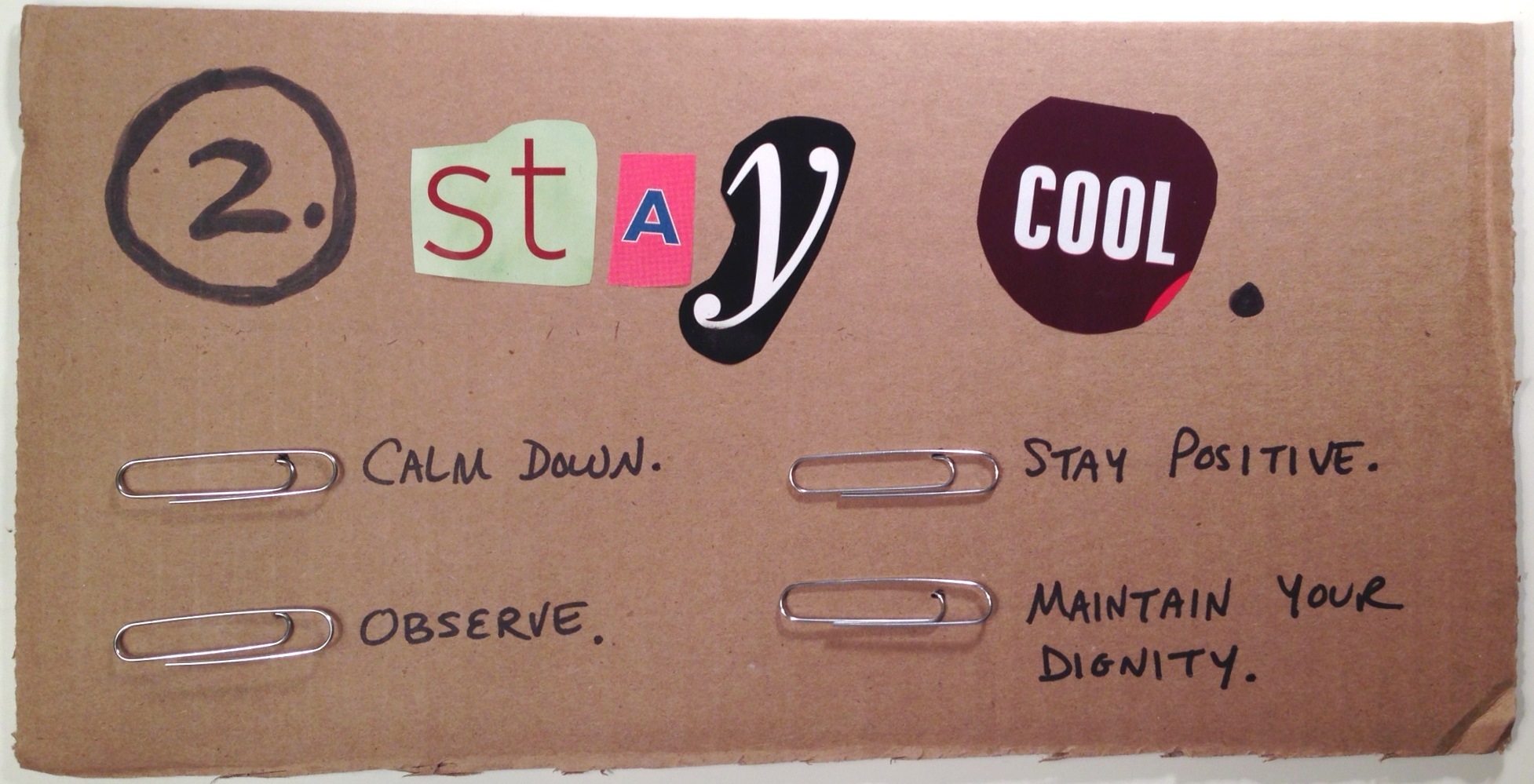
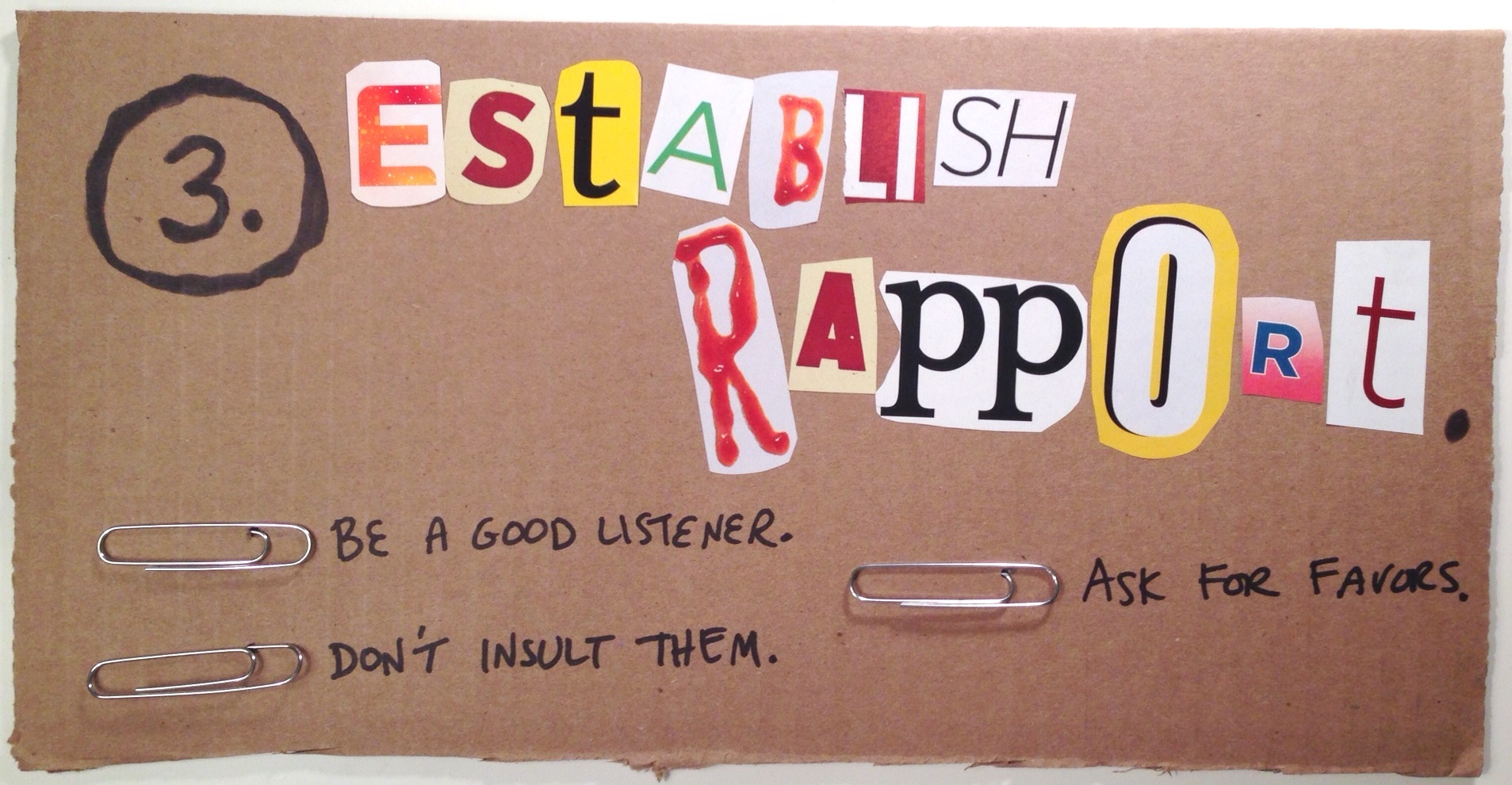
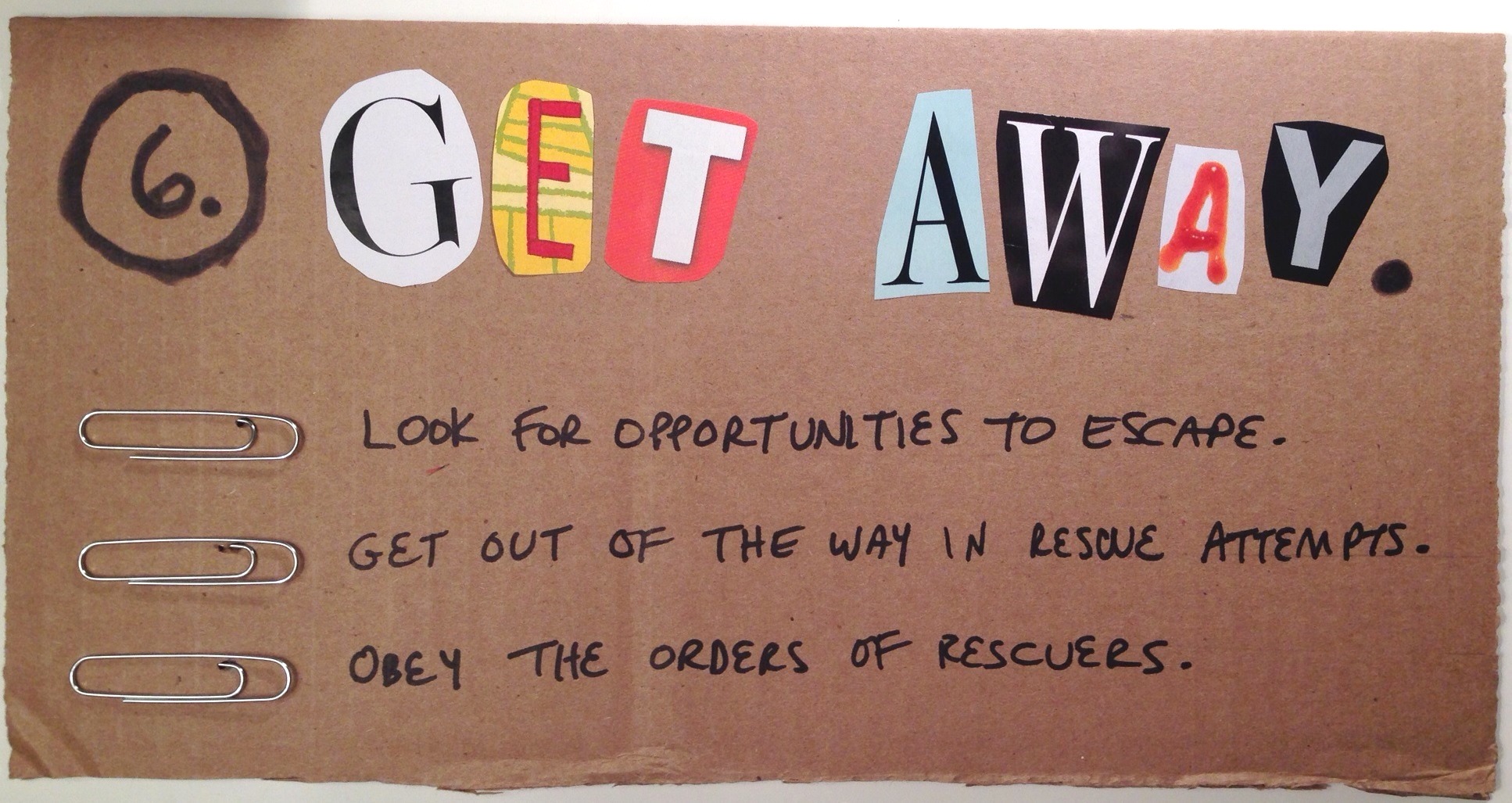
I walked away thinking I’d start over again in a couple of days, when I glimpsed a cardboard box and flashed on the idea of just ripping it up, using black markers, and sticking paperclips in it to make bullets. Seemed like the perfect primitive treatment to make the most of the colors and shapes of the letters, as well as the ransom-note effect.

The Result

Here’s the result in all of its ransom-riffic simplicity. Hope you like it! You can click on each image to see it larger.
Introduction

Step 1

Step 2

Step 3

Step 4

Step 5

Step 6

Filed Under: E-Learning Tagged With: Community, ELHChallenge, Instructional Design, Typography, Visual Design

Can You Motivate This Monster?

June 29, 2014 By Jackie Van Nice 4 Comments

Click Image to Launch Demo

Click Image to Launch Demo

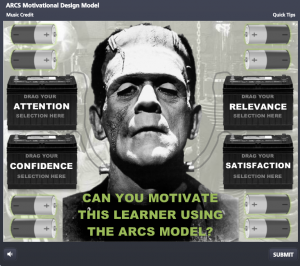
This week’s Articulate challenge is to create a quiz about an instructional design concept.  I decided to create a quiz about Dr. John Keller’s ARCS motivational design model.

The Idea

As I brainstormed (heh-heh) how the heck to do it, I thought of the most basic concept of motivation, which is to spur the learner on: Provide him with a jolt of electricity, if you will.

The next thing I knew, Boris Karloff was staring at me as I carefully wired him up to car batteries. You just never know where a challenge will take you.

The Interaction

The idea is that you choose an appropriate design option for each of the four areas: Attention, Relevance, Confidence, and Satisfaction. I made them appropriate to this learner, pulling more from Mel Brooks’ Young Frankenstein than Mary Shelley’s classic novel, but it’s all about keeping me entertained.

Feedback Screen

Feedback Screen

You get feedback whether your answers are correct (motivated monster), or incorrect (unmotivated monster). I included some quick tips in the player with a mini outline of the ARCS model to help explain and/or lead you to the correct answers, too.

So Much More

I’d love to go over the many other scenes and ideas I had for this one, but at some point I have to call it a quick demo and stop.

I’ll also mention that my AA battery > car battery > single battery cable > neck bolt electrical circuit entertains me no end. I think that’s part of what makes these challenges so fun. You do a quick mock-up and it leads to the funniest improvisations.

Try It!

If you’d like to try using the ARCS model to motivate Frank, the interaction is right here.

Filed Under: E-Learning Tagged With: Articulate Storyline, Audio, Characters, Community, Drag & Drop, E-Learning Design, ELHChallenge, Emotional Engagement, Games, Instructional Design

Podcast: A One-Sided E-Learning Interview

June 24, 2014 By Jackie Van Nice 13 Comments

Image Credit: David Anderson

Image Credit: David Anderson

This week, Articulate’s intrepid David Anderson came up with yet another remarkable e-learning challenge: Create your own podcast. He supplied the questions and we got to make it happen. Here’s mine, and I explain how I did it at the end of this post. If you’d rather autoplay all tracks (rather than click on each one) you can listen to them here.

1. Tell us a little about yourself and the types of e-learning projects you most enjoy.

2. How did you become an e-learning or instructional designer?

3. What are the essentials of good e-learning design?

4. Tell me about your most successful e-learning project.

5. What are the most important criteria in evaluating e-learning?

6. What are some common mistakes new course designers make and how can they avoid them?

7. How is designing mobile learning different than designing for the desktop?

8. How do you evaluate whether your course was effective?

9. How do you keep up your skills and stay current in the industry?

10. What is the future of e-learning?

The Process

There are countless ways to do this, but this is what I did:

  1. Jotted down my first response to each question, treating it as though someone had asked me in conversation. The upside is it’s how I’d really answer a first question. The downside is there are no normal conversational follow-up questions, so I don’t get into any detail.
  2. Used my trusty Audio-Technica AT2020 desktop USB mic to record in Garage Band on iMac (just for fun), referring to my jotted-down answers as a guide. How many takes? Probably a couple for each one. If you’d like to see a photo of my setup, along with some of my favorite recording tips, they’re right here.
  3. Exported individual tracks as mp3s, then imported them into Audacity on PC to edit. Used the noise removal effect to get rid of background hum.
  4. Headed over to SoundCloud where I started a free account.and uploaded the mp3s. Thanks to Tim Slade for thinking of SoundCloud!
  5. Headed here to my WordPress blog to write this up. To embed these tracks I referred to SoundCloud’s instructions which worked quite nicely; though rather than doing a link-type post I simply pasted each of the track links into the body of a standard post.

Update!

David has collected everyone’s podcasts in one place for easy browsing and enjoying. Well worth a listen. (Great job, David!)

Filed Under: E-Learning Tagged With: Audio, Community, E-Learning Design, ELHChallenge, Freelancing, German, Professional Development, Voiceover

Sell Like Your Surfboard Depends On It!

June 15, 2014 By Jackie Van Nice 8 Comments

Select Image to Launch Demo

Select Image to Launch Demo

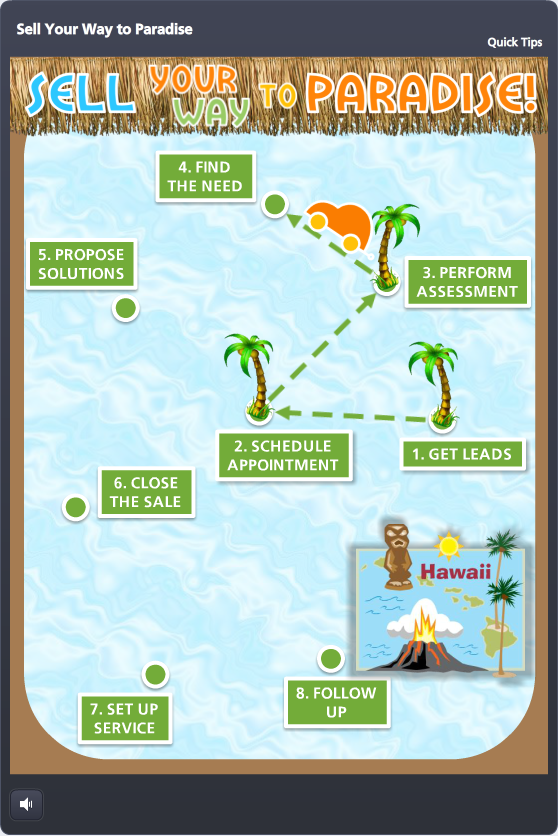
This week’s Articulate challenge is to use a template to create a game. It’s actually a free template I created from a German drinking game I made for another challenge – so we know each other pretty well by now.

My Goals

I challenged myself to:

  1. Make it potentially usable for a client.
  2. Stay true to the template.

I’m working on an outside sales training project for a client right now, so a traveling salesperson moving across a game board and working his way towards a big prize (they’ve been known to send their top people to Hawaii) seemed spot-on.

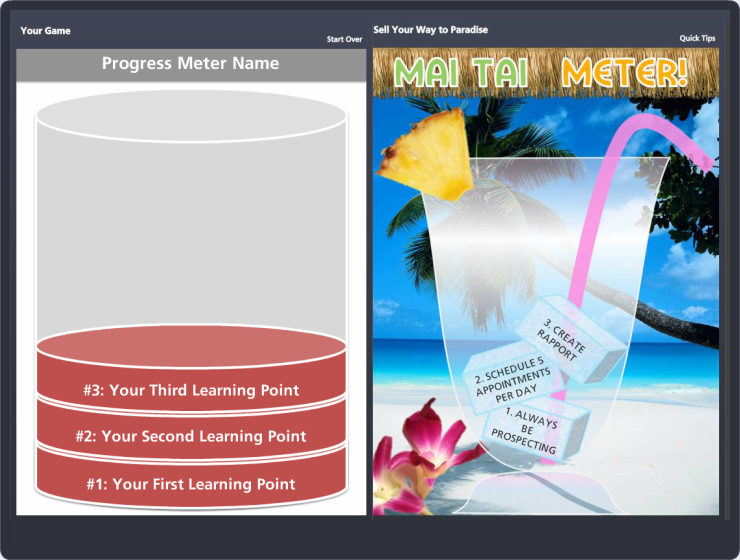
Mai Tai Progress Meter

Mai Tai Progress Meter

Waiter, there’s some freight in my drink

The biggest challenge was figuring out when to use company design elements versus game design elements. For example, in the mai tai progress meter the ice cubes were originally little cardboard packages themed for the company.

They still made clinking sounds like ice cubes, which entertained me, plus it was a great blend of company and game elements. But in the end it was a lot more refreshing and rewarding to see ice cubes amassing in my glass rather than pieces of freight. (Who knew?)

Challenge Screen

Challenge Screen

Realistic Challenges

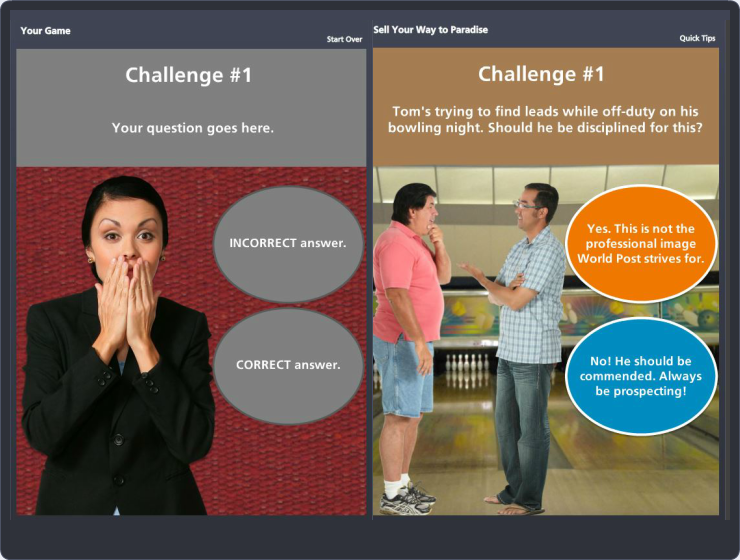
For the challenges I used background images and realistic situations to add more context and meaning.

See it in action!

You can see my sales game right here, and if you’d like to see what others are coming up with this week, keep an eye on the comments section of David Anderson’s blog right here.

(You can play along too, you know!)

Before & After

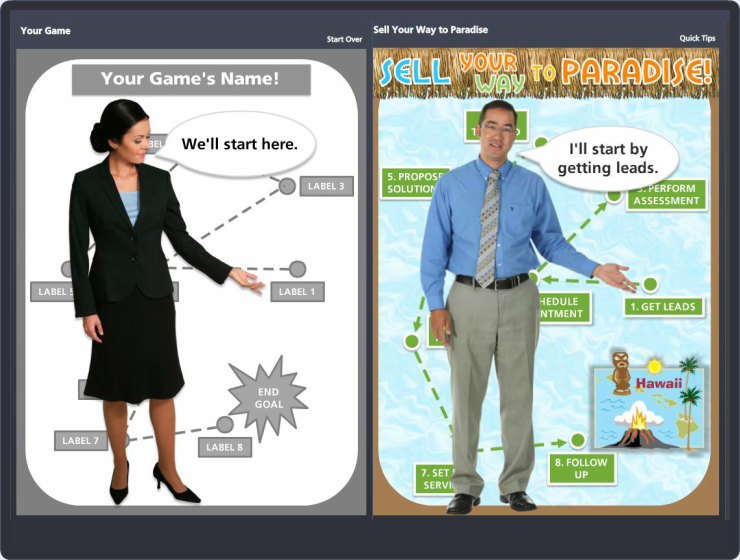
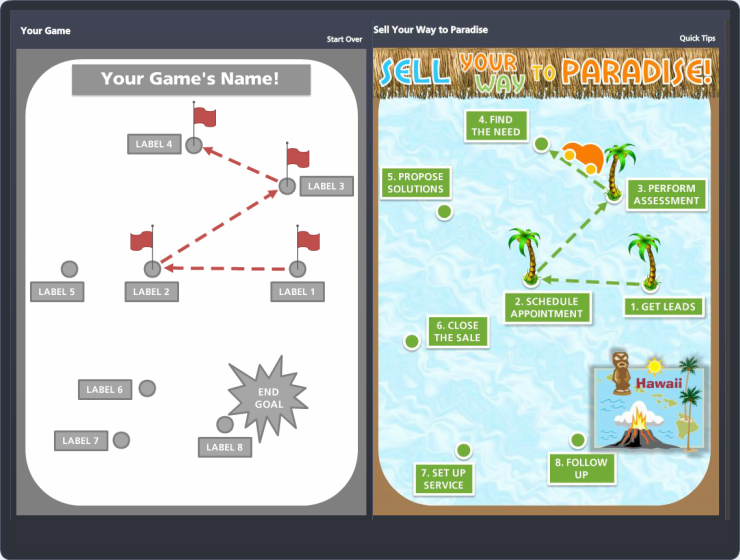
By the way, here are some side-by-side comparisons of the template screens versus my finished game screens. Click on any of them for a larger view.

Introduction

Introduction

Game Start

Game Start

Game Board

Game Board

Challenge Question

Challenge Question

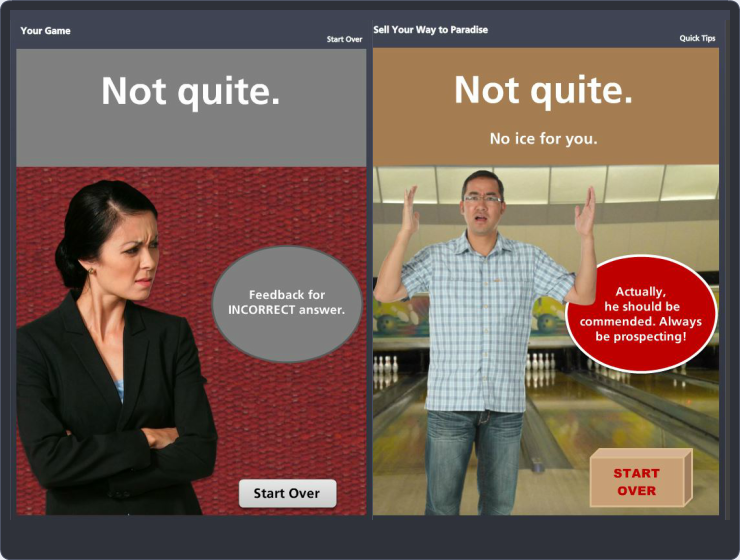
Feedback When Incorrect

Feedback When Incorrect

Feedback When Correct

Feedback When Correct

Progress Meter

Progress Meter

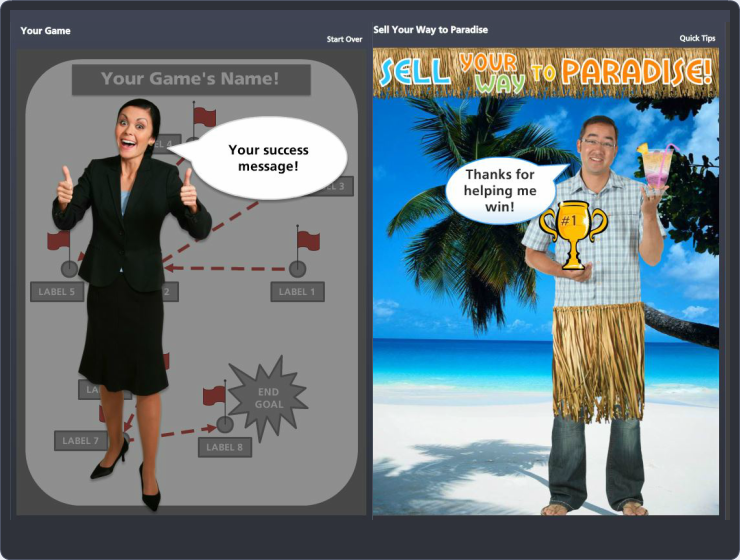
Success Screen

Success Screen

Filed Under: E-Learning Tagged With: Articulate Storyline, Characters, Community, E-Learning Design, ELHChallenge, Games, Instructional Design, Sales Training, Show Your Work, Templates

Can You Crowdsource Your Mentors?

June 7, 2014 By Jackie Van Nice 8 Comments

Crowdsourced Mentoring

I’ve always loved nudging people to figure out their goals and dreams; encouraging them to make it all happen. I’m sure you’ve done the same. There’s nothing more exhilarating than seeing someone connect with that spark that ignites their work and life. So when I recently started getting requests to mentor people who have seen my work here, you can imagine how excited and humbled I was that they would ask.

What Makes A Good Mentor?

The good news for me is that this has been a fantastic year. By looking up from my desk long enough to reach out to share and connect with others, all sorts of career possibilities suddenly exploded for me. But all of that good stuff also means my free time has sort of evaporated. Given that, I’m trying to figure out what sort of help I’d be able to offer, and it got me thinking about what and how I learned from my own mentor.

My Mentor

When I started as a freelance instructional designer my first client ended up becoming a fantastic mentor just by being who she is. There was no official mentoring relationship – I just took it all in. This is how she helped me:

  • Reviews & Critiques: Every time she reviewed my work and made it clear that, for example, the placement of every element was important down to the very last pixel – I took it in and that became my standard.
  • Observation: From project management to design work to professional involvement, just by observing how she operated, I learned.
  • Encouragement & Support: She thought I was talented, but more than that she told me I was and always made sure I was paid as much as possible. She didn’t have to do either of those things, but her generosity and support made me work even harder to do the best work I possibly could.

Individual vs. Crowdsourced Mentoring

A lot of the things I got from her individually can be obtained in professional communities online now. It’s not identical, but I’ve grown enormously in the past few years by taking advantage of the knowledge, advice, and opportunities for growth provided by the generous members of the Articulate community. Need a review or critique? Want to observe how others work and what they do? Need encouragement, suggestions, or advice? Want quick and effective ways to build your skills and portfolio? It’s all there in the community, and those are the same things I got from my own mentor.

Can you really crowdsource something like mentoring? Check out the thoughts of Danielle Russell. Her “crowd” is her network of connections – and she’s doing what we’re all doing: Getting involved, gathering information, making decisions, and taking action to build her career.

What Are You Looking For In A Mentor?

If you were looking for an individual e-learning mentor, what would be most helpful and what would that relationship look like? Could turning to an involved professional community for support meet any of those same needs? What do you think?

Filed Under: Working for Yourself Tagged With: Community, E-Learning Design, Freelancing, Professional Development

  • « Go to Previous Page
  • Go to page 1
  • Interim pages omitted …
  • Go to page 8
  • Go to page 9
  • Go to page 10
  • Go to page 11
  • Go to page 12
  • Interim pages omitted …
  • Go to page 14
  • Go to Next Page »

Primary Sidebar

Welcome!

I’m an award-winning instructional designer and proud Articulate Super Hero who creates e-learning for large organizations. I blog to explain my design process, share tips and tricks, and help others succeed. I hope you enjoy my refreshing gallery of e-learning goodness!

  • View jackietrains’s profile on Instagram
  • View jackievannice’s profile on LinkedIn

Tags

Articulate 360 Articulate Rise Articulate Storyline Articulate Studio Audio Avatars CCAF Characters Community Context Design Makeover Dials Drag & Drop E-Learning Design ELHChallenge Emotional Engagement Free Download Freelancing Games German Glossary Instructional Design Languages Makeover Menu Mobile Motivation Pantone Portfolio PowerPoint Professional Development Quick Reference Quizzes Sales Training Scenarios Show Your Work Software Training Storyline 360 Tables Technical Training Templates Typography Video Visual Design Voiceover

Top Posts & Pages

  • Portfolio
    Portfolio
  • Home
    Home
  • Sexual Harassment Training
    Sexual Harassment Training
  • Sales Mobility Software Training
    Sales Mobility Software Training
  • Navigating a Tasty Circular Menu
    Navigating a Tasty Circular Menu
  • Articulate's E-Learning Heroes Challenges
    Articulate's E-Learning Heroes Challenges
  • About
    About
  • Free Visual Storyboard Template
    Free Visual Storyboard Template
  • Free Storyline Templates
    Free Storyline Templates
  • How to Go Full-Screen & Lose the Player in Storyline
    How to Go Full-Screen & Lose the Player in Storyline

Copyright © 2026 Jackie Van Nice and E-Learning Goodness by Jackie Van Nice