• Skip to primary navigation
  • Skip to main content
  • Skip to primary sidebar

Jackie Van Nice

E-Learning Goodness by Jackie Van Nice

  • Home
  • About
  • Blog
  • Portfolio
    • Articulate’s ELH Challenges
    • Sales Mobility Software
    • Product Sales
    • Sexual Harassment
    • Code of Conduct
  • Freebies
    • Free Storyline Templates
    • Free PowerPoint Templates
    • Free Images
    • Freelancing Tips
    • Free Resources to Help Get Started in eLearning
  • Work With Me
  • Contact

Community

Video: How to Customize This Sobered-Up Drinking Game

June 6, 2014 By Jackie Van Nice 4 Comments

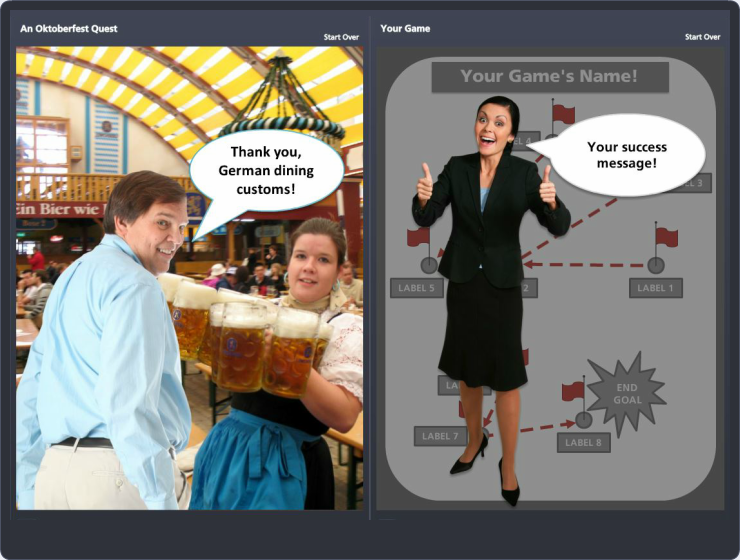
I’ve just taken my original German drinking game created in Articulate Storyline and made it into a free template that I talked about recently.  Now I’ve recorded two videos to help you use the template. You can download the free Storyline template here, and I also made a PowerPoint version you can download here.

Video #1: Original vs. the Template

In this video I walk you through the features of the original game, then compare them to the template. Kind of a nice overview. If you’d prefer to see captures of the screens compared, they’re at the end of this post. I created this for the Storyline version, but PowerPoint users can get some useful information from it, too.

http://www.jackievannice.com/wp-content/uploads/2018/03/screencast1.mp4

 Video #2: How to Customize the Storyline Template

In this video I show you the customizable features you can make your own. Again, I created it for the Storyline version, but PowerPoint users can get some useful information from it, too.

http://www.jackievannice.com/wp-content/uploads/2018/03/screencast2.mp4

Have Fun!

I hope these walk-throughs help as you go forth to create your own games. Enjoy!
Filed Under: E-Learning Tagged With: Articulate Storyline, Characters, Community, E-Learning Design, ELHChallenge, Free Download, Games, German, Instructional Design, Languages, PowerPoint, Show Your Work, Templates, Video

A Non-Regulation Spelling Bee

June 2, 2014 By Jackie Van Nice 8 Comments

Select Image to Launch Demo

Select Image to Launch Demo

This week’s Articulate challenge, with a nod to the latest National Spelling Bee, is to build an interactive vocabulary quiz. It’s a great challenge because you can take it in so many directions.

Inspiration

Intro Screen

Intro Screen

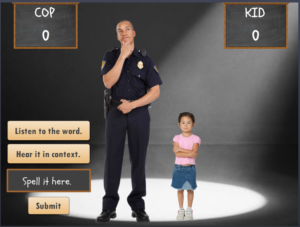
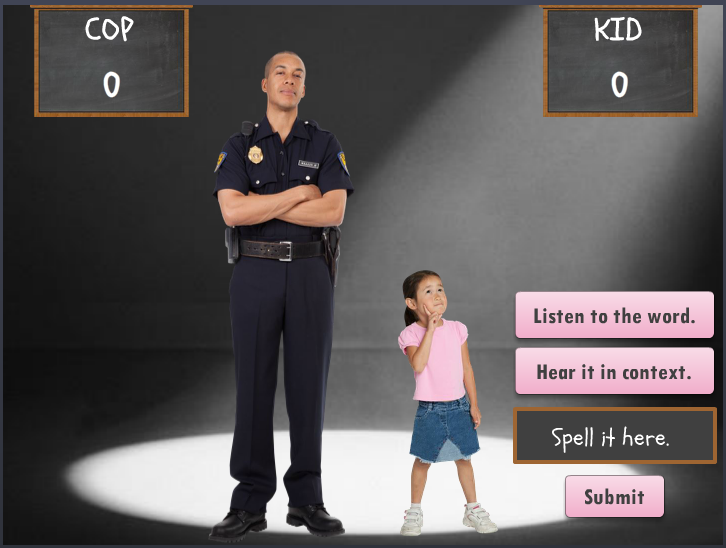
I looked at a lot of interaction types, but when nothing struck me I thought I could at least start by choosing characters to work with. That’s when I remembered I’ve got good stock images of children. When I started looking at extremes (who’s the youngest?) then thought about an opponent (who’s the most unlikely?) I suddenly had my theme.

Content

Going for ridiculous words and context sentences was the only way to do it, and the greater the contrast between the participant prompts, the better. Unfortunately, I have far more knowledge of goofball cop humor than little girl references, so I just had to wing it on the kid side.

Quiz Slide in Action

Quiz Slide in Action

Design

I focused on designing a quick, clean interaction because it’s funnier. I’m pretty happy with it, given the time frame.

Building It

I always have to go back to refresh my memory about how to engineer these things:

  • Each question slide is actually a fill-in-the-blank graded quiz slide.
  • To capture the running game scores I created variables for KidTotal and CopTotal.
  • To add points to their scores, on the “correct” feedback layer I added a trigger that adds a value of 1 to the appropriate KidTotal or CopTotal variable at the beginning of the timeline.
  • To display their scores, I inserted reference fields on the scoreboards to show the current value of KidTotal and CopTotal.
  • I also created variables to take you to one of three possible endings based on the final score.
  • I couldn’t get the text entry screens to refresh after hitting Replay. Those kept holding on to whatever was entered in the prior round. I ended up adding a hidden results slide to create the needed variables so I could add a “reset results” trigger to the Replay button. That worked.

The Result

Select Image to Launch Demo

Select Image to Launch Demo

I think it’s funny. My clue is when I can’t stop laughing long enough to record audio, but it was pretty late at night, so maybe I was just punchy.

I hope you enjoy it – you can see it right here!

Filed Under: E-Learning, Front Featured Tagged With: Articulate Storyline, Audio, Characters, Community, Context, E-Learning Design, ELHChallenge, Games, Voiceover

Step Graphics to Success as an E-Learning Designer

May 30, 2014 By Jackie Van Nice 19 Comments

Select Image to Launch Demo

Select Image to Launch Demo

This week’s challenge was to create a step graphic to tell a story or explain a process. It came at the end of a week where I kept hearing concerns from e-learning designers who felt stuck due to lack of skills, experience, usable portfolio pieces, visibility in the field, and/or confidence. So when the challenge hit, that was my topic.

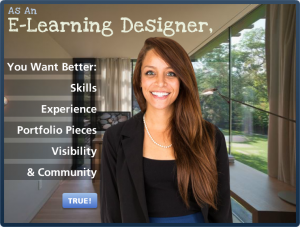
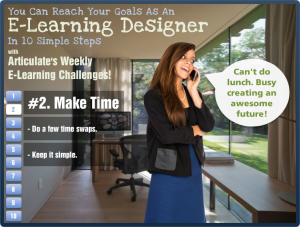
Step Graphic Main Screen

Step Graphic Main Screen

Design

I wanted it to be fresh, direct, and maybe a bit inspiring – so I chose the character, the approach, and the background based on that.

The layout bothered me for a full week. Still does, but I have to let it go. I tried countless ideas with different graphics, colors, fonts, animations, and audio. It started out with more depth (links to resources, etc.) but it was taking too long, so I stripped it down and kept it simple. My concern was keeping the user’s attention focused on an already-busy screen. It seems to work, based on the little bit of user testing I did, so I’m going with it.

The step navigation is simple. I chose buttons with a full set of states, including a clear selected state so it’s easy to see where you are.

Content

I added the intro screen to make it clear that you should probably be (a) an e-learning designer who (b) has these goals, if the content is going to apply to you.

After that, it’s what I do each week for the challenges combined with a little bit of advice based on personal experience.

The Result

Ready to give it a try? Take a look! And if you’re an e-learning designer who feels stuck or wants to learn more and improve your skills, you might want to give the challenges a try. They’ve worked for me!

Select Image to Launch Demo

Select Image to Launch Demo

Filed Under: E-Learning, Working for Yourself Tagged With: Articulate Storyline, Characters, Community, E-Learning Design, ELHChallenge, Freelancing, Instructional Design, Portfolio, Professional Development

Free to Good Home: Playful Game Template

May 27, 2014 By Jackie Van Nice 4 Comments

Select Image to Launch Original Game

Select Image to Launch Original Game

Select Image to Launch Template Demo

Select Image to Launch Template Demo

. . . .

. . . .

. . . .

. . . .

. . . .

. . . .

. . . .

The Source File Dilemma

People seemed to really like this German drinking game I created for an Articulate challenge a while back. I got requests for the source file but didn’t want to violate license agreements by handing it out with assets intact, and also didn’t want to hand out a stripped file that wasn’t fully functional.

The Happy Result & Lots of Free Games

Last week, still getting requests for the file, I finally took time to rework it so it was clean, easy to customize, and something I could offer as a free download. I wanted to maintain a sense of style and all of the functionality while still leaving it wide open to customize, and I’m pretty happy with the result.

By complete serendipity, David Anderson featured 10 free Storyline e-learning game templates on the Articulate site this week and was able to include mine as one of them. There’s a good chance that any or all of these games will get your creative juices flowing, and you can get all of them right here!

2 Free Templates:  Storyline & PowerPoint!

Here’s the download page for the Storyline template, and since people without Storyline wanted to use it, too – I created a PowerPoint version you can download, too!

Videos to Help You Customize

I made a couple of videos to show you a feature comparison and the customization points you’ll want to hit. You can see them here.

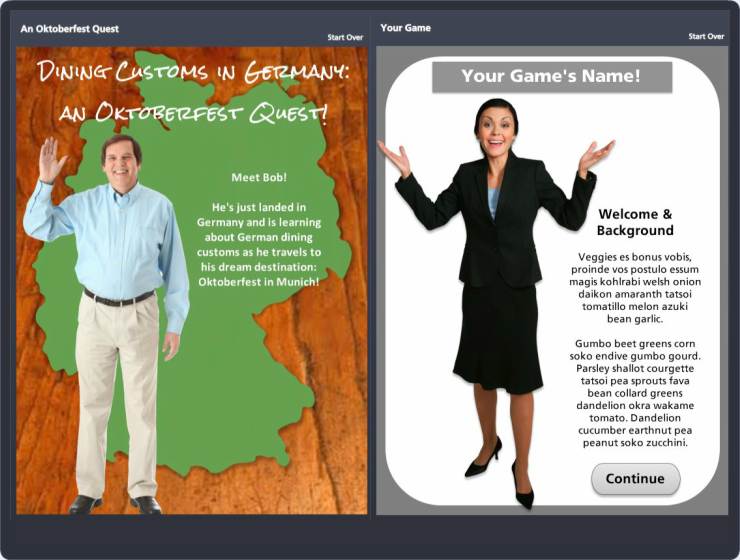
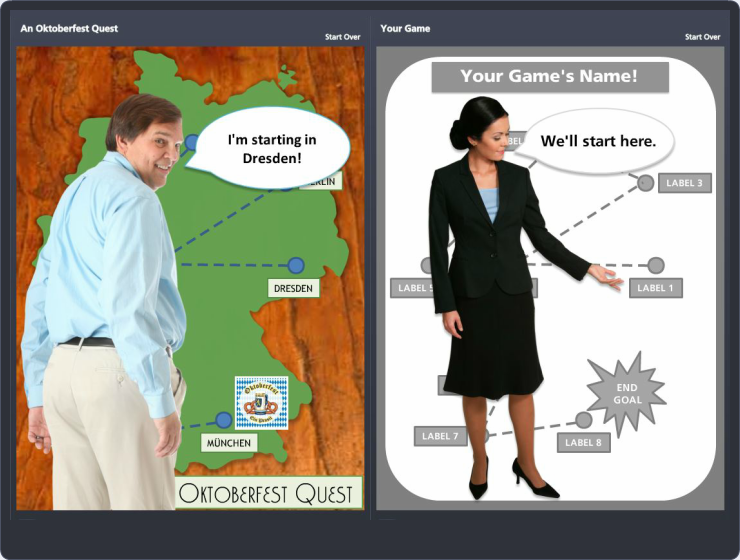
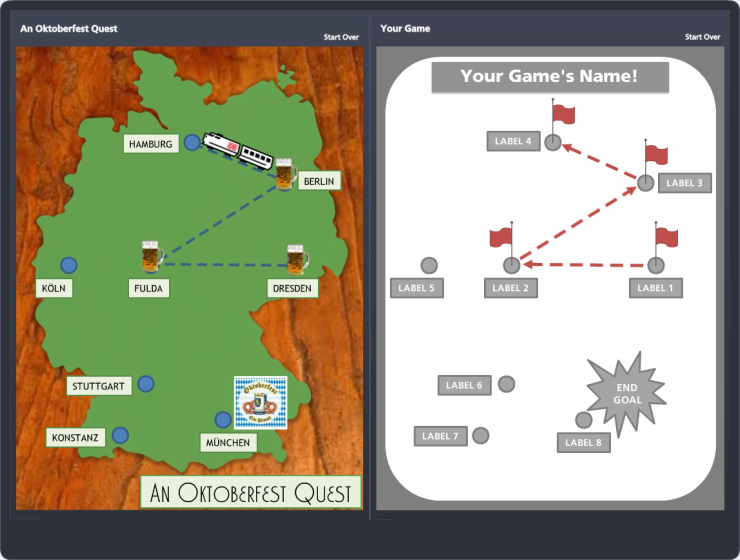
Screen Captures Compared

I also created side-by-side screen captures, seen below, to help you see the original next to the template. Click on any image to see it larger.

Introduction

Introduction

Game Start

Game Start

Game Board

Game Board

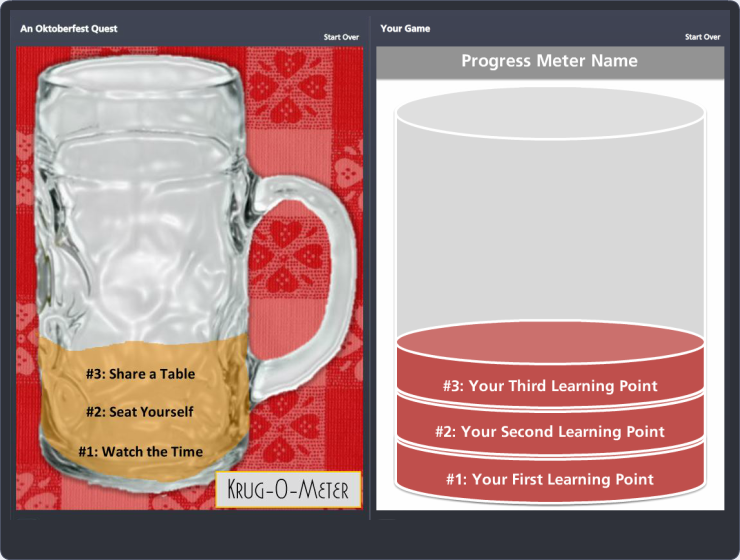
Progress Meter

Progress Meter

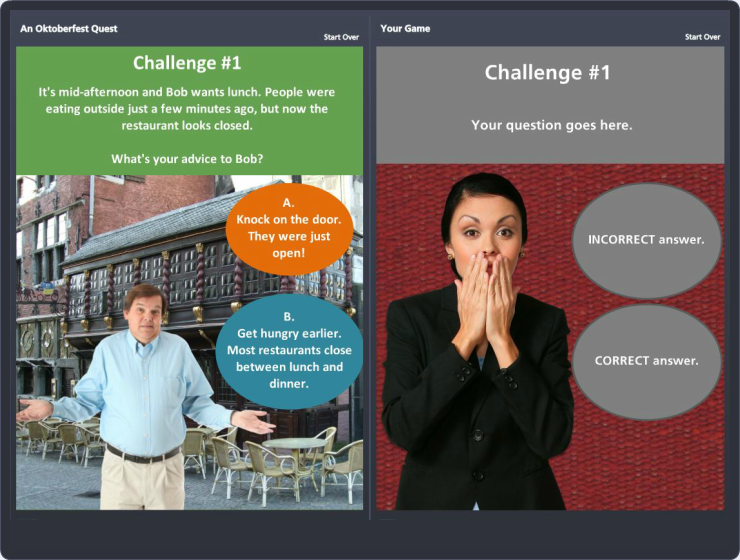
Challenge Question

Challenge Question

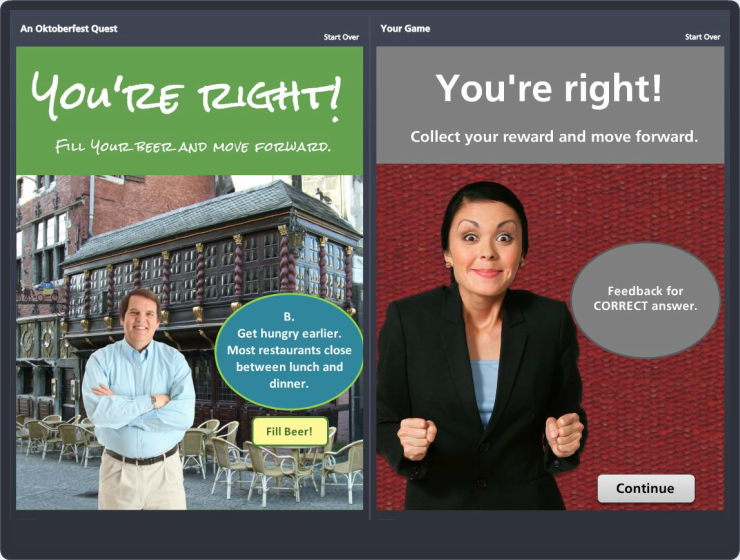
Feedback When Correct

Feedback When Correct

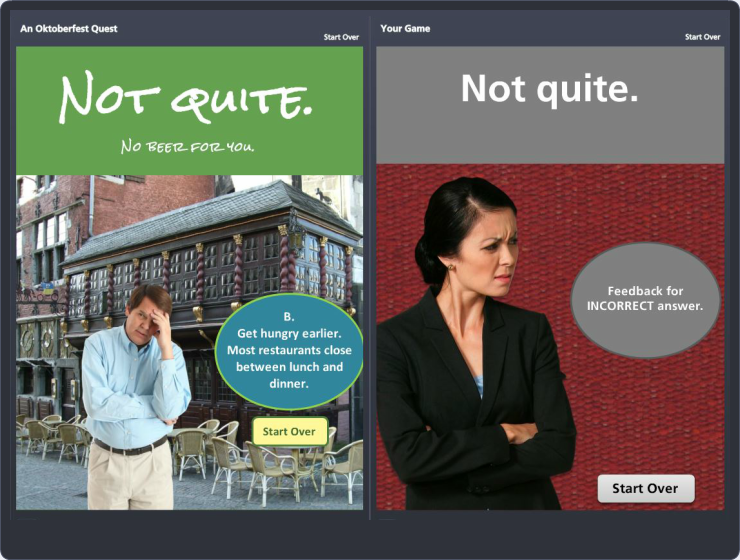
Feedback When Incorrect

Feedback When Incorrect

The Joy of Success

The Joy of Success

Let Me Know!

If you have ideas for how you could use this template – or if you’ve already used it! – I hope you’ll let me know. I’d love to hear what you did or would like to do. You can leave a comment below. And have fun!

Filed Under: E-Learning Tagged With: Articulate Storyline, Characters, Community, E-Learning Design, ELHChallenge, Free Download, Games, German, Instructional Design, Languages, PowerPoint, Show Your Work, Templates

4 Free E-Learning Tools I Use

May 22, 2014 By Jackie Van Nice Leave a Comment

Note: The sands of time move on, as do the free tools I use. See the updated version of this post here!

This week’s Articulate challenge is to share the free e-learning tools we really use. These are my favorites.


Redbooth

1. Redbooth: Project Management

This makes my life so easy it has to be first. Redbooth from Google makes project management effortless, and it’s free up to 5 projects and 5 users. I use it to:

  • Work Across Platforms: I use it on PC, Mac, iPhone, and iPad. It syncs effortlessly and tasks are immediately on my calendar.
  • Manage From Anywhere: I assign tasks, get feedback from team members, write up project notes, and participate in team conversations wherever I am.
  • Easily Manage & Share Files: I store and track all pieces and parts of a project – including email, notes, and conversations – plus sync files automatically with Dropbox. Nothing gets lost.

A “Free” Thought: I started on the free version to test it, then went to the paid one. Get creative and you could stretch those 5 projects and 5 users a whole lot farther.


I Used Microsoft Clipart For This

I Used Microsoft Clipart For This

2. Microsoft Clipart: Images

Crazy, right? Sounds like the ’50s or something. There are a million other places to get images. Why is Microsoft Clipart still my first stop?

  • License & Attribution Issues: I REALLY can’t stand checking every license on every image and deciding whether it’s worth using and if there should be an attribution, and if so where do I work it in?
  • Editable/Flexible Images: I start with an image and think of ways to use it so it doesn’t look like everyone else’s. People loved the images in this piece, and they’re from MS Clipart. With an open mind and creative eye you’ll be amazed at what you can do.
  • Click & Play in PowerPoint: Since it’s integrated into PowerPoint, my quick image editor of choice, I can speedily bring in a pile of images and play around to see what works. Even if I get my final images elsewhere, it’s a great playground.

Pinterest

Pinterest Board

3. Pinterest: Inspiration & Project Organization

I haven’t been using it long, but already rely on it for a couple of things:

  • Graphic Inspiration: When I see something that resonates with me, I pin it in my Graphic Inspiration board. That’s where I went to design my interactive resume.
  • Project Organization: Now that you can have lots of “secret” boards I tend to create one for each new client project and use it as a catch-all place for everything from graphic and technical ideas to instructional design approaches. It’s secret, so I can include company-specific links and info.

dafont font squirrel

4. Dafont & Font Squirrel: Fonts

These free font sites are so quick and easy to use, they’re hard to resist. I use them for:

  • Typographic Inspiration: Even if I don’t end up using one of theirs, browsing gives me ideas.
  • New Font Fun: I’ll often use them in the weekly Articulate challenges. They’re great to try out and see what’s possible.

What's in Your Course Design Toolkit?

What’s in Your Course Design Toolkit?

Check Out Many More!

Those are my current go-tos you can get for free.

There are tons more you can use, and many are being shared in the comments section of this week’s challenge. I’ll be using ideas from there, and you may find some new freebies you love, too.

Filed Under: E-Learning, Working for Yourself Tagged With: Community, ELHChallenge, Freelancing, Instructional Design, Professional Development, Show Your Work, Visual Design

  • « Go to Previous Page
  • Go to page 1
  • Interim pages omitted …
  • Go to page 9
  • Go to page 10
  • Go to page 11
  • Go to page 12
  • Go to page 13
  • Go to page 14
  • Go to Next Page »

Primary Sidebar

Welcome!

I’m an award-winning instructional designer and proud Articulate Super Hero who creates e-learning for large organizations. I blog to explain my design process, share tips and tricks, and help others succeed. I hope you enjoy my refreshing gallery of e-learning goodness!

  • View jackietrains’s profile on Instagram
  • View jackievannice’s profile on LinkedIn

Tags

Articulate 360 Articulate Rise Articulate Storyline Articulate Studio Audio Avatars CCAF Characters Community Context Design Makeover Dials Drag & Drop E-Learning Design ELHChallenge Emotional Engagement Free Download Freelancing Games German Glossary Instructional Design Languages Makeover Menu Mobile Motivation Pantone Portfolio PowerPoint Professional Development Quick Reference Quizzes Sales Training Scenarios Show Your Work Software Training Storyline 360 Tables Technical Training Templates Typography Video Visual Design Voiceover

Top Posts & Pages

  • Portfolio
    Portfolio
  • Home
    Home
  • Sexual Harassment Training
    Sexual Harassment Training
  • Sales Mobility Software Training
    Sales Mobility Software Training
  • Navigating a Tasty Circular Menu
    Navigating a Tasty Circular Menu
  • Articulate's E-Learning Heroes Challenges
    Articulate's E-Learning Heroes Challenges
  • About
    About
  • Free Visual Storyboard Template
    Free Visual Storyboard Template
  • Free Storyline Templates
    Free Storyline Templates
  • How to Go Full-Screen & Lose the Player in Storyline
    How to Go Full-Screen & Lose the Player in Storyline

Copyright © 2026 Jackie Van Nice and E-Learning Goodness by Jackie Van Nice