• Skip to primary navigation
  • Skip to main content
  • Skip to primary sidebar

Jackie Van Nice

E-Learning Goodness by Jackie Van Nice

  • Home
  • About
  • Blog
  • Portfolio
    • Articulate’s ELH Challenges
    • Sales Mobility Software
    • Product Sales
    • Sexual Harassment
    • Code of Conduct
  • Freebies
    • Free Storyline Templates
    • Free PowerPoint Templates
    • Free Images
    • Freelancing Tips
    • Free Resources to Help Get Started in eLearning
  • Work With Me
  • Contact

Emotional Engagement

Fontcracker Suite: Teaching Typography

September 22, 2014 By Jackie Van Nice 16 Comments

Select Image to Launch Demo

Select Image to Launch Demo

This week’s Articulate challenge is to teach some typography by creating a game or interaction. I dove in – excited that I could finally use Storyline’s new features out in the real world!

The Idea: Motion Paths & Dance

Motion paths are a huge plus in Storyline, so I wanted to feature them. Looking at proper typographic form got me thinking of proper human form, which got me to ballet, which led me to letters dancing to ballet music. Dancing letters using Storyline’s motion paths it would be!
Typography as the Star

Typography as the Star

The Typography

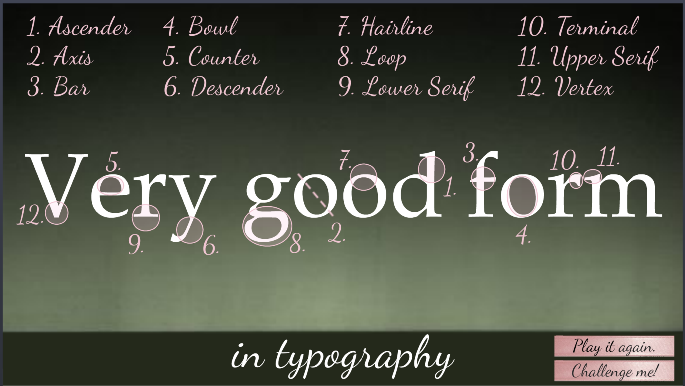
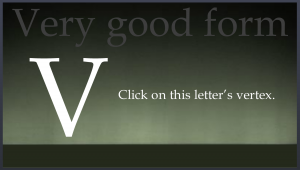
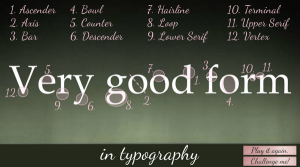
Many explanations of typographic anatomy use the word “Typography” as their example. I chose “very good form” so I could demo the concepts and stick with my theme.

Visual focus is on the typography throughout and it’s used on every screen. It engages the learner, introduces the concepts, acts as a progress meter, provides feedback, and wraps things up. I used one serif font (Book Antiqua) and one script font (Dancing Script). After settling on 12 typography terms to teach, I forged ahead.
Minimal Design

Minimal Design

Minimal Visual Design

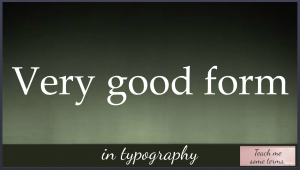
Rather than running wild with the theme by adding dancers, Christmas trees, snow, costumes, and scenes from the ballet I kept it simple – guided by the simplicity of the typography.

The main images are a ballet stage as the background and some ballet shoe ribbons. Rather than showing snow, I implied it on the opening screen by having each half of the word “good” fall gently into place.
Learner Control

Learner Control

The Interaction

Rather than announcing itself as an interaction where you’ll learn typographic terms, it starts with a fun bit of music and animation that sets the mood, theme, and topic before a small button appears that says “Teach me some terms”. Nothing is forced; you’re enticed to explore.
Feedback & Options

Feedback and Options

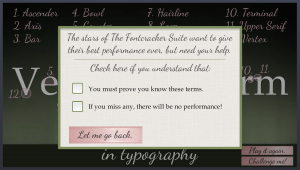
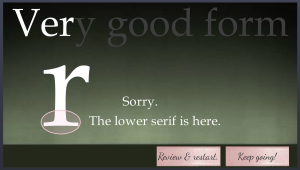
The learner also has enough options and information to feel they’re in control. If you choose “Challenge me!” for example, a message lays out clear expectations by letting you know what’s needed to succeed and gives you your options. Feedback is clear. If you make an incorrect choice you receive correction and can choose to review or continue.
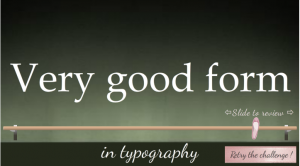
Slider as Ballet Barre for Review

Slider as Ballet Barre for Review

Best Slider Barre None

I used another of my favorite Storyline features – the slider – to create a ballet barre to review terms. (It features a lovely relative motion path, too!) It gives the learner full control and lets them focus on one item at a time.

Enjoy the Show!

If you have your audio ready, here’s the interaction in all of its very good form.
Select Image to Launch Demo
Select Image to Launch Demo

Filed Under: E-Learning, Front Slider Tagged With: Articulate Storyline, Community, E-Learning Design, ELHChallenge, Emotional Engagement, Games, Instructional Design, Show Your Work, Typography

Ker-thwack! Fighting Harassment Comic Book Style

August 26, 2014 By Jackie Van Nice 5 Comments

Select Image to Launch Demo

Select Image to Launch Demo

I’m so excited! Today I completed the entire first year of Articulate’s E-Learning Heroes challenges – all 48 of them! I started participating about 5 months into the challenge year so there were a lot to make up, but I did it. Before collapsing I’ll share one of my favorites I uncovered back at #11: Comic Style Themes for E-Learning.

Figuring Out the Style

I don’t know much about comic books and didn’t have a clue how to handle this challenge, but figured it out the same way I did the interactive resume one. I searched for comic books on Pinterest, pinned a couple of things, then took in the rest. That made it easy to assess the approach and style and I got the gist very quickly.

How About Harassment?

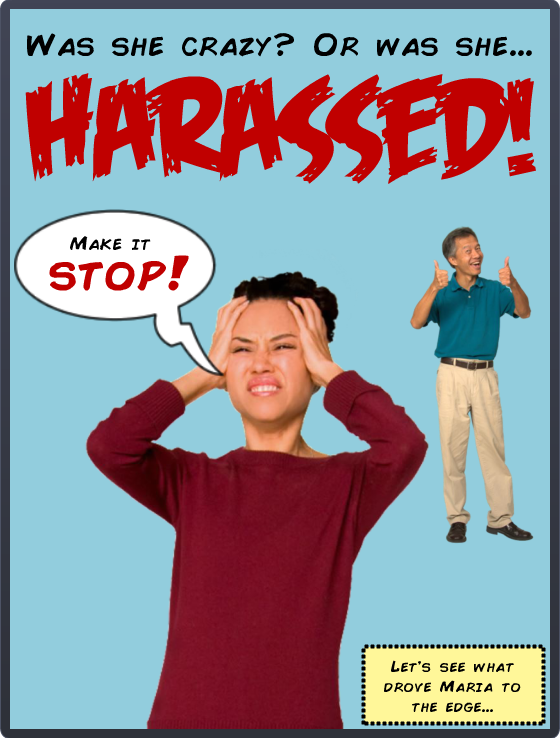
I thought about courses I’ve done that I could adapt, and harassment seemed like just the ticket. I already had the material and characters in place; I just needed to change the style and ramp up the drama.

Colors & Fonts

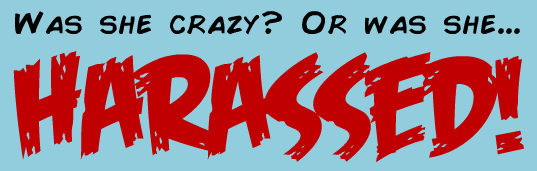
The color palette came from the outfits of the characters on the cover. Add in the classic yellow box for narration, and you’re all set. The fonts were free from Dafont: That great title font is Feast of Flesh BB and the paragraph font is Comic Book.

fonts

Comic Book Fonts

Before & After

Here are a couple of screens from this harassment course I did a few years back. You can see how I adapted them to the comic book demo. You can also see that the comic book style gave me an acceptable way to make it more personal and cut to the chase more quickly and with greater emotional impact.

"Before" Screen

“Before” Screen

"Before" Screen

“Before” Screen

"After" Screen

“After” Screen

Next Time

Given more time I’d have loved to add in music, sound effects, and background images; but as a quick learning exercise I’m pretty happy with it. Fortunately David Anderson promises he’ll have another comic book challenge coming up in the new challenge year. (Ka-zam!!!)

Here it Is!

If you’d like to check out this quick comic-book style demo, it’s right here.

Filed Under: E-Learning Tagged With: Articulate Storyline, Characters, Community, Context, E-Learning Design, ELHChallenge, Emotional Engagement, Show Your Work, Visual Design

A Radiantly Delicious Template

August 17, 2014 By Jackie Van Nice 4 Comments

Select Image to Launch Demo

Select Image to Launch Demo

This Articulate challenge is about using Pantone’s color of the year, Radiant Orchid, to create a simple e-learning template. I didn’t have a clue about how to approach this, but that’s normal, so I jumped in anyway.

Design Inspiration

I wanted to brainstorm something in this color that would have meaning to me. Whether it’s the vegan thing or that it’s summertime and I get to eat lots of them right now, I quickly came up with purple fruits and vegetables.

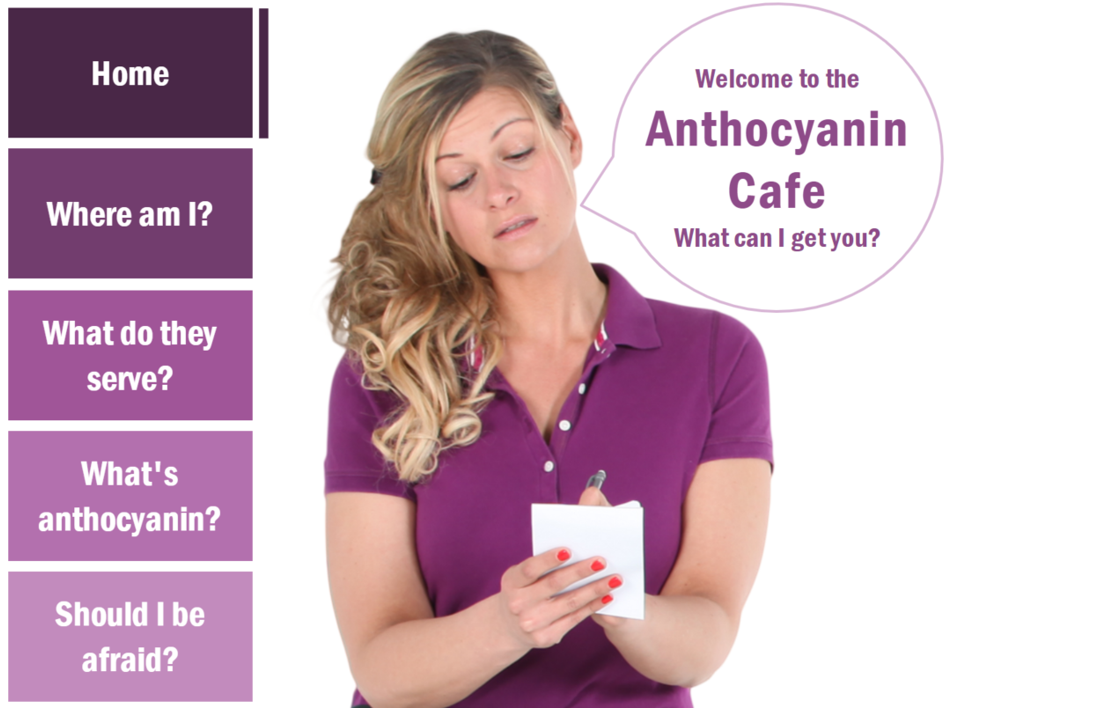
I planned to find a character dressed in a similar color, if possible, and got lucky to find one dressed as a waitress. I reasoned she’d probably work at a cafe that only serves purple produce, and the rest is history.

Color, Tints, and Shades

I stayed pretty true to the palette. The only thing I did that was slightly different was to make the player color relatively transparent, and the hover states on the menu items are also slightly transparent.

I tried to order the fruits and vegetables to mirror the shade differences on the menu items. They’re both darkest at the top of the screen and lightest at the bottom.

See it in Action!

Feel free to take a look at the radiance right here, and don’t let the waitress get you down. She hasn’t eaten her vegetables today.

Select Image to Launch Demo

Select Image to Launch Demo

Filed Under: E-Learning Tagged With: Articulate Storyline, Characters, Community, Context, E-Learning Design, ELHChallenge, Emotional Engagement, Pantone, Show Your Work, Templates, Visual Design

Shooting Your Own E-Learning Background Images

August 16, 2014 By Jackie Van Nice 8 Comments

Select Image to Launch Demo

Select Image to Launch Demo
This Articulate challenge is to create your own background images. The idea is to plan your shots, shoot photos, then manipulate them to work in your project.

The Project

I wanted to share a software training piece I’d created at the eLearning Guild’s SolutionFest, but had to change both the branding and the industry before I could. That involved a lot of new development, including new background images and some video. Time for a photo shoot!

My Shot List

I scouted out a nearby business park and showed up with my shot list in hand. I’ll only share a couple of them in this post, but the shots I wanted and got were:

  1. From the parking lot looking back at the office building with my vehicle in plain view in the center.
  2. From the office building looking out to the parking lot with a field in the background.
  3. Looking down the alley of office park building back doors, plus some closer shots of the doors.
  4. A stop sign at the end of the alleyway.
  5. A video focused on the stop sign, then quickly panning down the alley and back.

Image Manipulation

For the still images I cropped and manipulated them to match the style of the rest of the course, which I’d designed to de-emphasize the background to make it easier to focus on the content. Since I developed this in Articulate Studio ’09 it was quick and easy to use the PowerPoint image formatting options. I used a tan color and the “pastels smooth” artistic effect.

Shot #1: From Parking Lot to Building

For this shot I cropped the image so that the vehicle was easily visible between the characters so I could add the company logo to the door.

Shot #1: Original

Shot #1: Original

Shot #1: Used in the Course

Shot #1: Used in the Course

 Shot #2: From Office to Parking Lot and Field

I wanted this shot to be very simple, with just a hint of parking lot stripes and nothing else to act as a distraction.

Shot #2: Original

Shot #2: Original

Shot #2: Used in the Course

Shot #2: Used in the Course

 See The Whole Thing!

If you’d like to see the entire demo as I showed it at SolutionFest, which used all of the other shots on my list, you can view it right here. If you’d like to learn more about how I designed this project, all of the details are right here!

Filed Under: E-Learning Tagged With: Articulate Studio, Characters, Community, Context, E-Learning Design, ELHChallenge, Emotional Engagement, Instructional Design, Mobile, PowerPoint, Software Training, Technical Training, Video

Call Center Software Training

August 16, 2014 By Jackie Van Nice 4 Comments

Select Image to Launch Demo
Select Image to Launch Demo
This week’s Articulate challenge is to share ideas for call center training, so I shared a sample of call center software training I did awhile back.

Call Center Training

Context Included

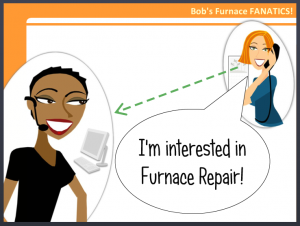
In the original I included scenes to demonstrate why the customer would be calling and why it’s so critical that you’d be able to help.

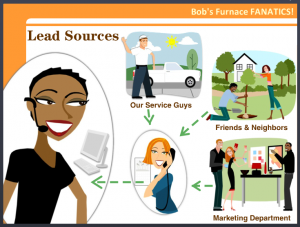
Since this is a re-branded and re-industried piece it would take too long to recreate all of that, but to give you a sense of that approach I included an illustration of the lead source presentation. Beats a bulleted list any day.

More Than a Screen

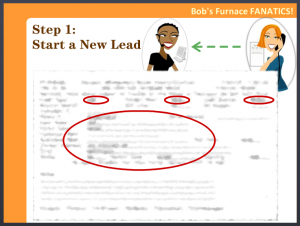
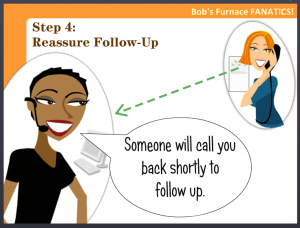
2014-08-16 17_26_00-How to Enter a LeadThe other idea was to wrap a little bit of context and interest around what would otherwise be a featureless computer screen. It had to be simple, so I just carried the characters right onto the screen.
See it in Action!

Though it’s a small sample, you’ll get the idea. The voiceover has been removed, but the transcript is in the player if you’d like to see it. Here it is!

2014-08-16 17_26_15-How to Enter a Lead2

Filed Under: E-Learning Tagged With: Articulate Storyline, Characters, Community, Context, E-Learning Design, ELHChallenge, Emotional Engagement, Instructional Design, Software Training, Technical Training

  • « Go to Previous Page
  • Go to page 1
  • Interim pages omitted …
  • Go to page 3
  • Go to page 4
  • Go to page 5
  • Go to page 6
  • Go to page 7
  • Go to page 8
  • Go to Next Page »

Primary Sidebar

Welcome!

I’m an award-winning instructional designer and proud Articulate Super Hero who creates e-learning for large organizations. I blog to explain my design process, share tips and tricks, and help others succeed. I hope you enjoy my refreshing gallery of e-learning goodness!

  • View jackietrains’s profile on Instagram
  • View jackievannice’s profile on LinkedIn

Tags

Articulate 360 Articulate Rise Articulate Storyline Articulate Studio Audio Avatars CCAF Characters Community Context Design Makeover Dials Drag & Drop E-Learning Design ELHChallenge Emotional Engagement Free Download Freelancing Games German Glossary Instructional Design Languages Makeover Menu Mobile Motivation Pantone Portfolio PowerPoint Professional Development Quick Reference Quizzes Sales Training Scenarios Show Your Work Software Training Storyline 360 Tables Technical Training Templates Typography Video Visual Design Voiceover

Top Posts & Pages

  • Portfolio
    Portfolio
  • Home
    Home
  • Sexual Harassment Training
    Sexual Harassment Training
  • Sales Mobility Software Training
    Sales Mobility Software Training
  • Navigating a Tasty Circular Menu
    Navigating a Tasty Circular Menu
  • Articulate's E-Learning Heroes Challenges
    Articulate's E-Learning Heroes Challenges
  • About
    About
  • Free Visual Storyboard Template
    Free Visual Storyboard Template
  • Free Storyline Templates
    Free Storyline Templates
  • How to Go Full-Screen & Lose the Player in Storyline
    How to Go Full-Screen & Lose the Player in Storyline

Copyright © 2026 Jackie Van Nice and E-Learning Goodness by Jackie Van Nice