• Skip to primary navigation
  • Skip to main content
  • Skip to primary sidebar

Jackie Van Nice

E-Learning Goodness by Jackie Van Nice

  • Home
  • About
  • Blog
  • Portfolio
    • Articulate’s ELH Challenges
    • Sales Mobility Software
    • Product Sales
    • Sexual Harassment
    • Code of Conduct
  • Freebies
    • Free Storyline Templates
    • Free PowerPoint Templates
    • Free Images
    • Freelancing Tips
    • Free Resources to Help Get Started in eLearning
  • Work With Me
  • Contact

Visual Design

Making Text Work with Images

December 16, 2016 By Jackie Van Nice 6 Comments

Select Image to Launch Demo

Select Image to Launch Demo

This week’s ELH challenge is to create an example of using text with images. Woo-hoo!

The Idea

My plan was to finally go through some of my Death to Stock photos, select one I like, and add some text so it looks appealingly cool. I felt good about this.
The Original Image
The Original Image

The Colorful Title

The Colorful Title

The Design

I put it together in Storyline.

The Image

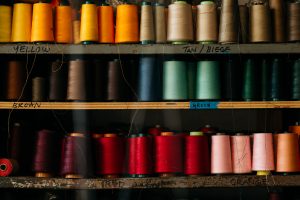
It didn’t take long to choose one. This photo of colorful spools of thread on carefully hand-labeled shelves was too good to pass up.

Title Text

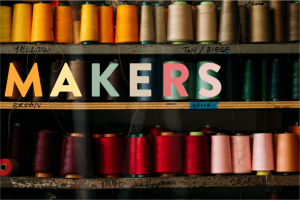
The image made me think of artisans, craftspeople, and the maker movement. So “Makers” became my title.

Using the eyedropper tool I started pulling those vibrant colors out of the threads and applying them to the title letters so that each one sort of echoed the look and feel of the individual spools. I looooooved the result, and that the title could sit right on the middle shelf in the picture.

Body Text

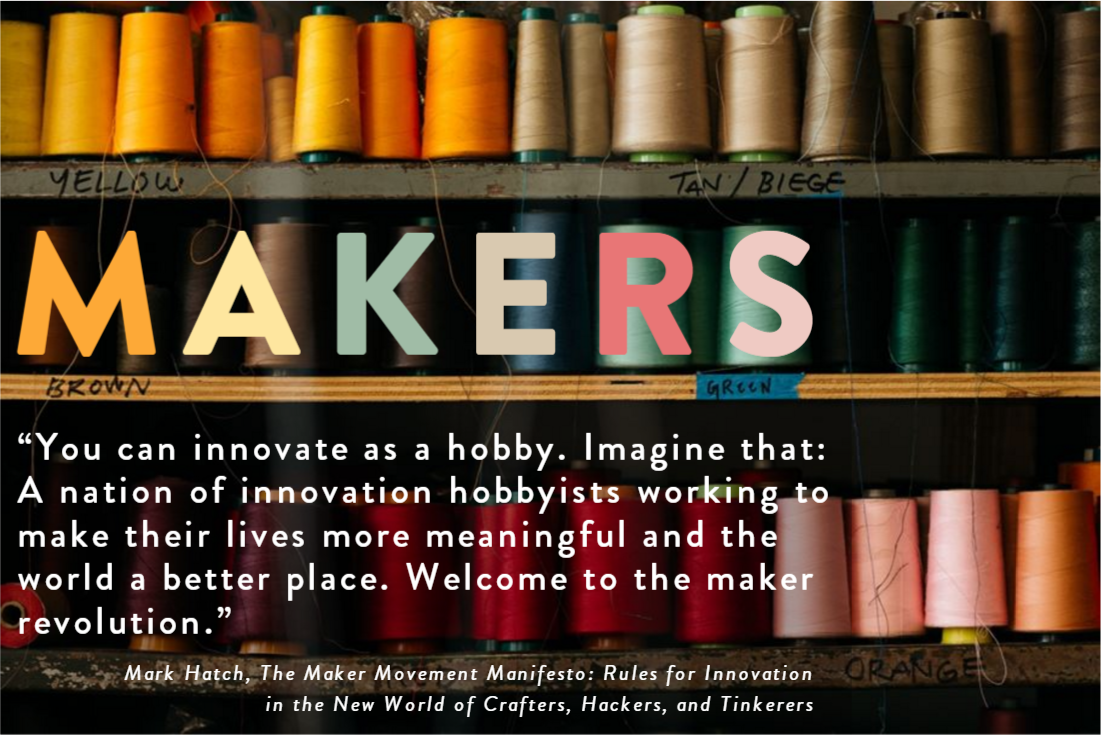
I found a quote from Mark Hatch, a maker movement guy, and placed it on the shelf just below the title. To make it a bit easier to read I added a semi-transparent dark shadow just behind the text. Because the edges of the shadow follow visual breaks in the image, it’s nearly invisible.

I expanded both title and body text to make it more visually pleasing and a bit easier to read. After that I added some entrance animations and called it good!

Make it Work!

Ready to see how it turned out? You can view it right here.

Select Image to Launch Demo
Select Image to Launch Demo
Filed Under: E-Learning, Front Featured Tagged With: Articulate 360, Articulate Storyline, E-Learning Design, ELHChallenge, Typography, Visual Design

Dialing Up a Delicious Color of the Year

December 16, 2016 By Jackie Van Nice 13 Comments

Click Image to Launch Demo

Click Image to Launch Demo

This week’s Articulate ELH Challenge is to create an interaction using Pantone’s color of the year, and since I already wanted to do a catch-up challenge about working with dials I made it a two-fer.

The Idea

Green Anole

Green Anole

Chameleon

Chameleon

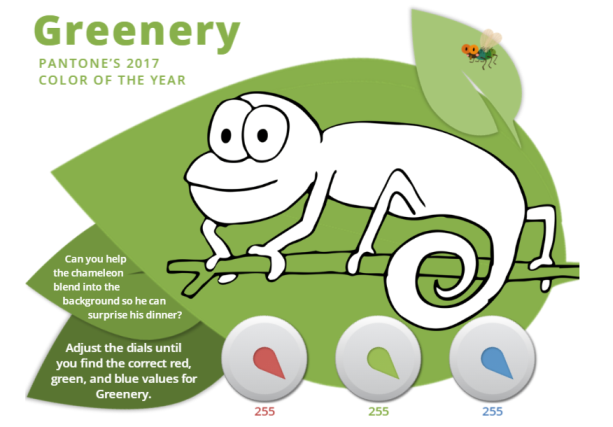
Greenery makes me think of the green anoles here in South Carolina. They change color to match their surroundings, but it turns out the chameleon has a larger color spectrum than the anole.

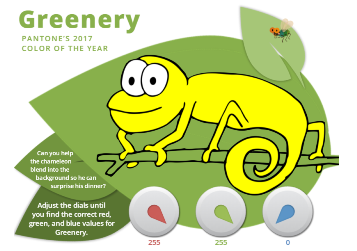
So I decided to make an interaction where your challenge is to match a chameleon’s color to his background (in this case Greenery) using dials to adjust the RGB levels.

The Design

Creating a 3-dial RGB interaction took some work, but figuring out how to build it in Storyline 360 was a piece of cake.

Visual Layout

Visual Layout

Visual Design

Simplicity was the goal, with the word “Greenery” and the color itself always prominent. I didn’t want there to be anything you’d have to click on or find. The instructions are simple and on-screen, and the only action you have to take is to adjust the dials, which are the functional focus.

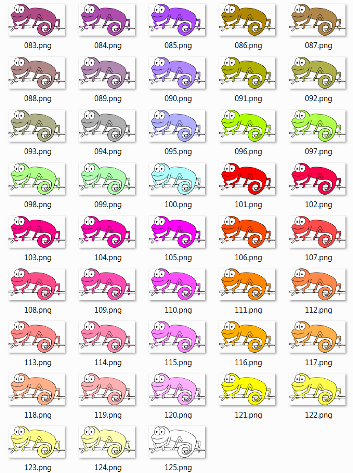
I also wanted the chameleon to have a little personality. It’s more fun changing a guy’s color if he’s cute and staring right at you. I purchased a vector line drawing of a chameleon and used Fireworks to change his colors.

Just Some of My 125 Chameleons

Just Some of My 125 Chameleons

My Life-Saving Chameleon Spreadsheet

My Life-Saving Chameleon Spreadsheet

Functional Design

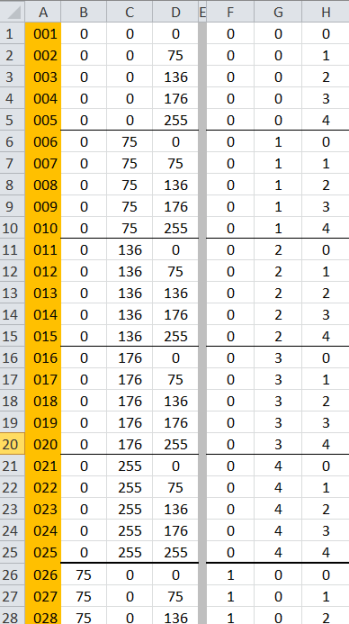
If I’d realized there were over 16 million possible RGB combinations I’d have started working on this awhile back. Fortunately I didn’t need that many combinations to convey the sense of exploration I was after. I settled on five dial stops for each color, all starting at 0 and ending at 255 with three uniform stops in between. That meant I only had to create 125 chameleons for all possible dial combinations. (Gulp.)

The only way to keep the color combinations straight as I created chameleons and dial triggers was to organize them in a spreadsheet. Nothing but love for a good spreadsheet.

Audio Design

I added some background birds to set the scene, but what brings the interaction to life is the actual goal: Having fly for dinner. To emphasize that, you see and hear him buzz in as the chameleon’s motivation is revealed at the beginning, and again when it’s dinnertime. Dan Sweigert graciously volunteered to impersonate the dining chameleon delivering the coup de gras. (Sorry, little fly.)

Ready for Some Greenery?

See if you can find Greenery’s RGB values (and feed the chameleon) right here.

See More Pantone Challenges!

This is actually the fourth Pantone color of the year interaction I’ve done for the challenges. Here are the others:

  • 2016’s Rose Quartz and Serenity Challenge
  • 2015’s Marsala Challenge (Still one of my favorite entries.)
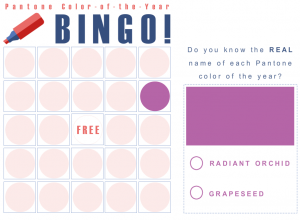
  • 2014’s Radiant Orchid Challenge
2016: Rose Quartz and Serenity

2016: Rose Quartz and Serenity

2015: Marsala

2015: Marsala

2014: Radiant Orchid

2014: Radiant Orchid

Filed Under: E-Learning, Front Featured Tagged With: Articulate 360, Articulate Storyline, Dials, E-Learning Design, ELHChallenge, Pantone, Storyline 360, Visual Design

It’s a Turkish Video Slider!

January 11, 2016 By Jackie Van Nice 2 Comments

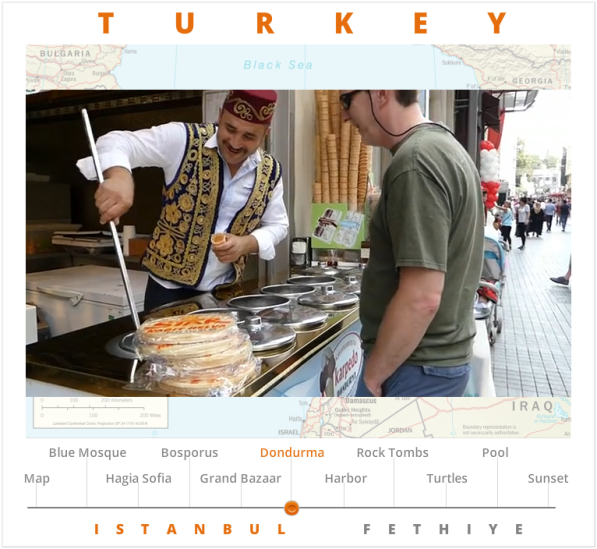
Click Image to Launch Video

Click Image to Launch Video

This week’s challenge is to create an interaction to play video in e-learning courses, so I opened up the video archives and went to work.

The Idea

Since I’ve barely had time to review the video we took on a recent trip to Turkey, it seemed like a good chance to take a look and grab a few snippets for this demo.

The Design

Last year I made a photo slider using stills I took on another trip to Turkey we took a few years ago. Since that interaction was already completely themed for Turkey and included the same towns, it was the perfect launching point for this one.

I made the story size a bit wider to allow more horizontal room for the video, updated the location names, then pretty much inserted the video, trimmed it a bit, and adjusted the volume as needed. Et voilà! A Turkish video slider.

Ready to Travel?

You can see my video slider in all of its random glory – including Dan hassling ice cream vendors on the street – right here. Enjoy!

Filed Under: E-Learning Tagged With: Articulate Storyline, E-Learning Design, ELHChallenge, Show Your Work, Video, Visual Design

The Top 5 Reasons I’m Grateful for More than 2 Years of #ELHChallenges

January 10, 2016 By Jackie Van Nice 8 Comments

Click for the Full List of Challenges (Image Credit: Articulate)

Click for the Full List of Challenges (Image Credit: Articulate)

When I first heard about Articulate’s ELH Challenges (which may well have been in this post from Tom Kuhlmann) it was clear they’d be a fantastic way to sharpen my skills and get involved in the community – but it still took me until #8 to put in an entry, and until #20 to get hooked.

To date I’ve completed 108 challenges, and although it’s taken a lot of time and effort to stick with them, it’s been life changing. I’m grateful for them every day, and thought I’d pause for a moment to share my top 5 reasons why.

1. Connection with a Vibrant Community

Whether you’re talking about Fearless Challenge Leader David Anderson, who always comes up with unique, creative challenges and sets the enthusiastic, inclusive, and ever-encouraging tone – or the extraordinary range of participants who never fail to share remarkable solutions and ideas along with a great deal of kindness and wisdom – the value of that energy and those connections can’t be overstated.

2. The Chance to Hone My Design Skills

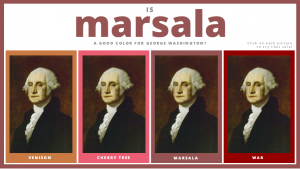
I already had a good sense of my design sensibilities before coming into the challenges, but having the chance to stretch and practice and grow outside of the constraints of client projects was an absolute gift. If not for the challenges, I’d never have had the impetus to create a silly little paper doll slider, a romantic approach to filling out a passport form, an homage to health workers in West Africa, or a way to try different shades of lipstick on George Washington. It would have been unthinkable.

3. The Chance to Push My Software Skills

I think we all have a tendency to go with what we already know when it comes to software – especially when we’re on deadline and need to knock something out. So being challenged to grow and figure out how to do a whole lot more with Storyline (and other software) each week – either because David presented a new technical challenge or because my design ideas were forcing me to do more complex things – was another leap forward.

4. A Pretty Swingin’ Portfolio

No one ever asks to see my portfolio. By the time they contact me they’ve already had the chance to wander through over 100 pieces of my work (most of which are challenge entries), along with written explanations about each one. Once on the phone they can’t wait to tell me how much they loved things like the German drinking game, Big History timeline, or tic-tac-toe game and want to use those ideas in their company’s own courses.

5. A Whole Lot of Work

When other designers ask me where to find work, what companies look for in their ads, or what to put on their résumés – I’m useless. I have no idea. I spend my time designing e-learning projects for clients, working on new Articulate challenge entries, and keeping those entries visible. Because of that, wonderful people at creative companies who need someone to design custom e-learning find me. Many peers will tell you the same, and I wrote about how to get work like this – but only if you want work to come to you in a painless and enormously fun way.

So there you have it! The top 5 reasons I’m incredibly grateful for more than 2 years of Articulate challenges. To be honest, any one of those 5 reasons would have been enough to make participation worthwhile, but together they’ve enhanced my work life beyond measure.

Thank you, Articulate.

Filed Under: E-Learning, Working for Yourself Tagged With: Articulate Storyline, Community, E-Learning Design, ELHChallenge, Freelancing, Instructional Design, Professional Development, Show Your Work, Visual Design

Before & After Comparison: Is It Coffee Cake Yet?

January 9, 2016 By Jackie Van Nice 6 Comments

Select Image to Launch Demo
Select Image to Launch Demo
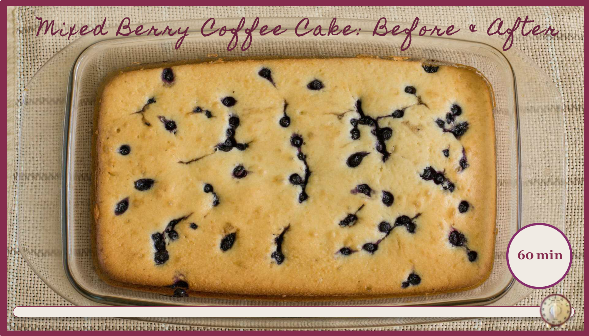
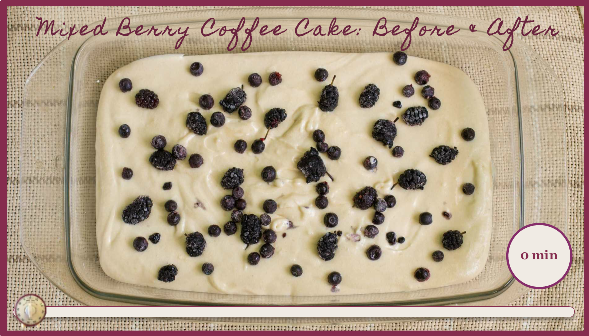
This week’s challenge is to create an interaction that lets the user explore a before-and-after visual comparison. The serious nature of the examples told me I should add something of importance to the visual conversation.

The Idea

The idea is that coffee cakes must get baked, and that someone needs to shine the light of understanding on their brave journey.

The Design

States of Cake

States of Cake

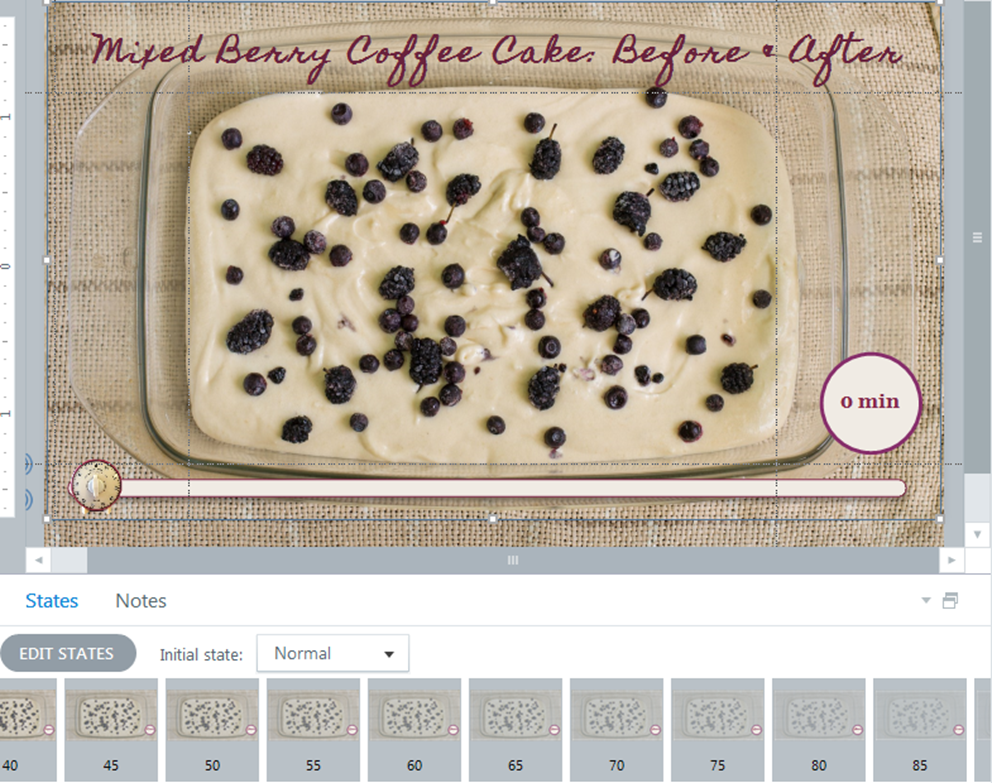
For the cake, I grabbed two photos: One of an unbaked coffee cake, and one of a baked coffee cake. I added states to the unbaked image that took it from 0% transparency at the beginning of my timeline to 100% transparency at the end. I placed the baked image underneath and left it at 0% transparency.

I used 20 states, some of which you can see here, and named each state for the percentage of transparency I’d applied.

To allow control of the interaction I used a slider to represent the length of the baking time, using a kitchen timer as the thumb image and an on-screen indicator to show elapsed minutes. To add a bit more interest I added the tick-tock of a kitchen timer that lasts as long as baking is in progress, and the ding of the timer once the cake is done.

Now We Just Need Coffee!

Ready to make cake happen? You can give it a go right here.

Click Image to Launch Demo (With Audio!)

Select Image to Launch Demo

Filed Under: E-Learning Tagged With: Articulate Storyline, E-Learning Design, ELHChallenge, Instructional Design, Show Your Work, Visual Design

  • « Go to Previous Page
  • Go to page 1
  • Go to page 2
  • Go to page 3
  • Go to page 4
  • Go to page 5
  • Interim pages omitted …
  • Go to page 14
  • Go to Next Page »

Primary Sidebar

Welcome!

I’m an award-winning instructional designer and proud Articulate Super Hero who creates e-learning for large organizations. I blog to explain my design process, share tips and tricks, and help others succeed. I hope you enjoy my refreshing gallery of e-learning goodness!

  • View jackietrains’s profile on Instagram
  • View jackievannice’s profile on LinkedIn

Tags

Articulate 360 Articulate Rise Articulate Storyline Articulate Studio Audio Avatars CCAF Characters Community Context Design Makeover Dials Drag & Drop E-Learning Design ELHChallenge Emotional Engagement Free Download Freelancing Games German Glossary Instructional Design Languages Makeover Menu Mobile Motivation Pantone Portfolio PowerPoint Professional Development Quick Reference Quizzes Sales Training Scenarios Show Your Work Software Training Storyline 360 Tables Technical Training Templates Typography Video Visual Design Voiceover

Top Posts & Pages

  • Portfolio
    Portfolio
  • Home
    Home
  • Sexual Harassment Training
    Sexual Harassment Training
  • Sales Mobility Software Training
    Sales Mobility Software Training
  • Navigating a Tasty Circular Menu
    Navigating a Tasty Circular Menu
  • Articulate's E-Learning Heroes Challenges
    Articulate's E-Learning Heroes Challenges
  • About
    About
  • Free Visual Storyboard Template
    Free Visual Storyboard Template
  • Free Storyline Templates
    Free Storyline Templates
  • How to Go Full-Screen & Lose the Player in Storyline
    How to Go Full-Screen & Lose the Player in Storyline

Copyright © 2026 Jackie Van Nice and E-Learning Goodness by Jackie Van Nice